How Event Login Portals Are Revolutionizing Access Control in Kenya’s Event Management
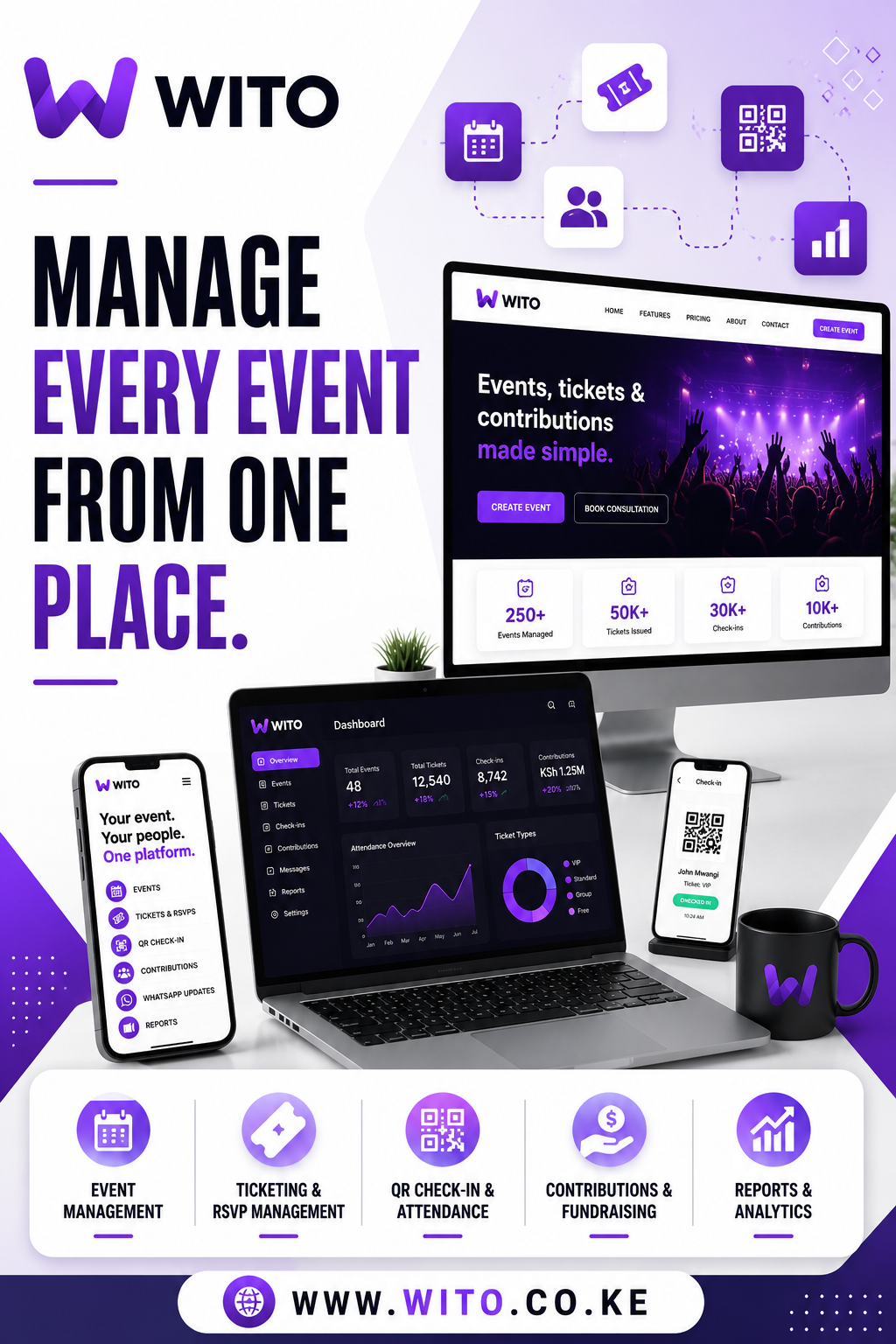
Event Login Portal technology has become the critical infrastructure layer between event promotion and actual attendee experience. An Event Login Portal provides secure, centralized access for event participants, organizers, and staff—eliminating the chaos of lost tickets, fraudulent entry, and manual credential management. Whether you’re operating a corporate conference in Nairobi, a wedding reception in Mombasa, or a community gathering in Kisumu, an Event Login Portal ensures that only legitimate attendees gain entry while providing organizers with detailed attendance tracking and real-time crowd management.
The modern event landscape demands security without friction. An Event Login Portal delivers this balance by authenticating attendees digitally before they arrive at your venue, creating a seamless entry experience while maintaining complete visibility into who is attending. Unlike traditional ticketing systems, an Event Login Portal offers continuous access management—attendees can log in days before the event to confirm their status, check-in staff use the portal to verify attendees on-site, and organizers access real-time analytics throughout the event. This comprehensive approach transforms how events are controlled and experienced across Kenya’s growing events ecosystem.
Table of Contents
- What Is an Event Login Portal?
- Why Event Security and Access Control Matter
- Core Authentication Features
- Real-Time Attendance Tracking
- Role-Based Access Management
- Integration With Ticketing Systems
- Mobile-Optimized Entry Experience
- Analytics and Reporting Capabilities
- Preventing Fraud and Duplicate Entry
- User Experience Design
Part 1: Foundation and Technical Infrastructure
What Is an Event Login Portal?
An Event Login Portal is a centralized digital platform where event attendees, staff, and organizers authenticate and manage access throughout the event lifecycle. Rather than relying on physical tickets, manual verification, or inconsistent entry processes, an Event Login Portal creates a unified access layer that serves multiple functions simultaneously.
At its core, an Event Login Portal requires attendees to create an account or authenticate using existing credentials—email, phone number, social media profile, or biometric data. Once authenticated through the Event Login Portal, attendees receive unique digital credentials, usually displayed as QR codes, that grant them access to specific events and areas within venues. This authentication happens before arrival, during check-in, and can even extend post-event for access to recordings, materials, or future registrations.
In Kenya’s event management context, an Event Login Portal addresses several critical pain points. First, it eliminates the need for printed tickets that are easily lost, forged, or duplicated. Second, it provides organizers with immediate visibility into who has registered versus who actually attends—crucial data for understanding engagement. Third, an Event Login Portal creates a permanent digital record of attendees, enabling post-event communication, future event invitations, and loyalty tracking.
The technical architecture of an Event Login Portal typically includes several components: a frontend interface where attendees log in, backend authentication servers that verify credentials, mobile applications for check-in staff, and administrative dashboards for organizers. Modern Event Login Portal systems operate across web and mobile platforms, ensuring accessibility regardless of the device attendees use.
Why Event Security and Access Control Matter
Event security has become increasingly important as events have grown larger and more complex. An Event Login Portal addresses this challenge systematically.
Fraud prevention is perhaps the most obvious reason events need an Event Login Portal. Without digital authentication, ticket scalpers can create counterfeit tickets, and fraudsters can sell the same ticket multiple times to different buyers. An Event Login Portal prevents this through cryptographic verification—each login creates a unique, time-limited credential that cannot be duplicated or shared without detection.
Capacity management and safety compliance require knowing exactly how many people are inside your venue at any given moment. An Event Login Portal provides this visibility by logging each entry and exit, alerting organizers when capacity is approaching, and preventing over-attendance that could violate safety regulations or create dangerous crowding.
Liability protection has become significant for event organizers. By maintaining detailed records through an Event Login Portal of who attended your event, you create documentation for insurance purposes, legal compliance, and incident response. If something goes wrong, you can quickly identify who was present and notify them.
Data collection through an Event Login Portal gives organizers insights into attendance patterns, demographic distributions, and engagement levels. This information informs marketing strategy, venue selection, and content decisions for future events.
Risk mitigation for health and safety is increasingly important. An Event Login Portal can integrate health screening questions, vaccination verification, or contact tracing—capabilities that proved essential during pandemic-related event restrictions and remain valuable for health-conscious event planning.
For churches, schools, corporate organizations, and professional event companies operating in Kenya, an Event Login Portal transforms event management from reactive chaos to proactive control.
Core Authentication Features
An effective Event Login Portal offers multiple authentication methods to accommodate diverse attendee preferences and technical capabilities.
Email and password authentication through an Event Login Portal remains the most straightforward method. Attendees create an account using their email, set a password, and log in to access their tickets and event details. An Event Login Portal should enforce strong password requirements and encourage two-factor authentication for additional security.
Phone number authentication is particularly valuable in Kenya, where SMS and USSD services are widely available. An Event Login Portal can send a one-time code to an attendee’s phone, which they enter to authenticate. This method requires no password recall and works even for users with limited literacy or technical sophistication.
Social login integration within an Event Login Portal streamlines access by allowing attendees to authenticate using existing credentials from Google, Facebook, or Apple. Since many Kenyans maintain social media accounts, this option reduces friction in the registration and login process for an Event Login Portal.
Biometric authentication represents the future of sophisticated Event Login Portal implementations. Facial recognition, fingerprint scanning, or iris recognition can be built into mobile applications connected to your Event Login Portal, enabling instant verification without requiring users to remember passwords or carry physical credentials.
QR code generation is a standard feature in any Event Login Portal. Once authenticated, the Event Login Portal generates a unique QR code for each attendee. This code serves as the digital ticket and is scanned at entry points to verify attendance without requiring additional authentication.
Multi-device synchronization in a robust Event Login Portal means attendees can access their credentials from multiple devices. If someone loses their phone with the Event Login Portal app installed, they can log in on a backup device and generate a new QR code.
Session management through your Event Login Portal should balance security with convenience. Sessions should remain active long enough for attendees to enter without frustration but expire after sufficient idle time to prevent unauthorized access if devices are left unattended.
Real-Time Attendance Tracking
One of the most powerful features of an Event Login Portal is its ability to track attendance in real time.
Entry logging through an Event Login Portal creates an immutable record every time someone enters your venue. Rather than relying on staff to manually mark attendance, the Event Login Portal automatically logs each scan, capturing timestamp, location, and attendee identity. This creates transparency and eliminates disputes about who attended.
Exit tracking is often overlooked but valuable in an Event Login Portal system. By logging when people leave, organizers gain insight into session attendance, peak crowd times, and venue flow. An Event Login Portal that tracks exits can alert organizers if bottlenecks develop or if certain sessions are emptying faster than expected.
Real-time dashboards connected to your Event Login Portal show organizers exactly how many people have arrived, where they are in the venue, and which sessions have the most attendees. For large events with multiple simultaneous sessions, this visibility from your Event Login Portal is invaluable for managing resources and responding to unforeseen situations.
Notification triggers can be configured within an Event Login Portal to alert organizers when significant milestones occur—capacity approaching, VIP attendees arriving, unexpected attendance patterns. These alerts enable proactive management rather than reactive problem-solving.
Historical attendance data compiled by your Event Login Portal over multiple events reveals trends. Are certain types of attendees more likely to attend? Do early registrants attend more reliably than last-minute registrants? Does weather affect attendance? An Event Login Portal that accumulates this data enables increasingly sophisticated predictions.
No-show prediction can be built into advanced Event Login Portal systems. By analyzing historical patterns, the Event Login Portal can predict which registered attendees are unlikely to show up, allowing organizers to send targeted reminders or allow waitlisted attendees to claim those spots.
Role-Based Access Management
Most events require different levels of access for different attendee categories. An Event Login Portal manages this through role-based access control.
Attendee roles within an Event Login Portal might include general admission, VIP, speaker, media, sponsor, staff, and security. Each role has different permissions. A general admission attendee’s Event Login Portal account grants access to public sessions; a speaker’s account grants access to speaker-only areas; security staff see real-time analytics through the Event Login Portal that regular attendees never access.
Permission granularity in a sophisticated Event Login Portal allows defining access at the session level, area level, or time level. An attendee might have access to afternoon sessions but not morning sessions, or access to the main conference hall but not the VIP lounge. This granularity is configured within your Event Login Portal admin panel.
Dynamic permission updates mean that an Event Login Portal can adjust attendee permissions throughout the event. If someone purchases an upgrade to VIP status during the event, their Event Login Portal access is immediately updated to include VIP-only areas and sessions.
Staff management through an Event Login Portal defines what different team members can do. Check-in staff might only scan QR codes; session facilitators see attendee lists; organizers access full analytics. This role-based structure prevents staff from accidentally or intentionally accessing information beyond their responsibility scope.
Contractor and volunteer access can be managed through an Event Login Portal with limited permissions. Temporary staff might have access to only their assigned area during their scheduled shift—all controlled through role settings in the Event Login Portal.
Revocation capability within an Event Login Portal ensures that if someone’s credentials need to be cancelled—if they behave inappropriately or if their payment clears—organizers can instantly revoke their access without complex manual processes.
Integration With Ticketing Systems
An Event Login Portal must seamlessly integrate with whatever ticketing system generated the original event registration.
Bidirectional data sync between your ticketing platform and Event Login Portal ensures that when someone purchases a ticket, their Event Login Portal account is automatically created and populated with the correct event access. Conversely, if a ticket is refunded through the ticketing system, the Event Login Portal automatically revokes access.
Ticket type mapping within an Event Login Portal translates ticket categories from your ticketing platform into role-based permissions. An “early bird” ticket category in your ticketing system maps to a specific attendee role in your Event Login Portal with corresponding access permissions.
Payment verification through an Event Login Portal ensures that attendees can only log in if their payment has cleared. This prevents people with pending or failed transactions from accessing the event. The Event Login Portal communicates with your payment processor to verify transaction status.
Refund handling through your Event Login Portal automatically revokes credentials when refunds are processed. If someone requests and receives a refund, the Event Login Portal immediately disables their access, preventing them from using already-generated QR codes.
Upgrade and downgrade support allows attendees to modify their ticket type after purchase, with the Event Login Portal automatically updating their access accordingly. Someone who purchased general admission can upgrade to VIP through the ticketing system, and their Event Login Portal access is instantly enhanced.
Group ticket management within an Event Login Portal handles scenarios where one person purchases tickets for multiple attendees. The Event Login Portal can either create individual accounts for each attendee or allow the purchaser to manage access for the entire group through a single Event Login Portal account.
Mobile-Optimized Entry Experience
Since most attendees will access your Event Login Portal from mobile devices at entry points, mobile optimization is non-negotiable.
Mobile app availability for your Event Login Portal should span iOS and Android, providing native applications that work smoothly even on older smartphones common in Kenya. The Event Login Portal app should load quickly, work reliably, and not require excessive data—important for venues where network connectivity is limited.
Offline functionality in an Event Login Portal mobile app is critical. If your venue’s WiFi becomes congested as hundreds of attendees arrive simultaneously, the Event Login Portal app should continue functioning by caching necessary information. Once connectivity is restored, the Event Login Portal syncs all check-ins to the central server.
QR code display in your Event Login Portal mobile app must be clear and large enough to scan reliably. The app should prevent screen dimming while the code is displayed and allow users to increase brightness manually through the Event Login Portal interface.
Fast authentication through your Event Login Portal is essential for throughput at entry points. If check-in requires multiple taps or confirmations, lines will form. The Event Login Portal should authenticate through biometric or one-tap methods whenever possible.
Accessibility features in your Event Login Portal mobile app ensure that users with disabilities can authenticate and access events. High contrast modes, large text options, screen reader compatibility, and voice authentication in the Event Login Portal app serve users with visual or hearing impairments.
Battery consciousness in your Event Login Portal mobile app respects that attendees’ phones may have low battery. The app should display QR codes efficiently without excessive processing, and the Event Login Portal should allow QR codes to be printed as backup entry method.
Analytics and Reporting Capabilities
Beyond access control, an Event Login Portal generates valuable data about attendee behavior and engagement.
Attendance reports from your Event Login Portal show exactly how many people registered versus attended, breaking down by ticket type, registration date, demographics, and other dimensions. This data reveals which marketing channels drive engaged attendees versus casual browsers.
Session-level analytics from your Event Login Portal track which sessions were most popular, which were under-attended, and how long attendees typically stayed. For multi-day or multi-session events, this intelligence from your Event Login Portal reveals content preferences that inform future event planning.
Conversion funnel analysis using data from your Event Login Portal identifies where potential attendees drop out—did they register but not download the Event Login Portal app? Download the app but not authenticate? Authenticate but not scan their QR code? Each point of friction is visible in Event Login Portal analytics.
Demographic insights captured during Event Login Portal authentication reveal who is actually attending your events. Are your attendees primarily from Nairobi or distributed nationwide? What’s the age and gender distribution? Which companies or organizations do they represent? This intelligence from your Event Login Portal informs marketing and content strategy.
Engagement scoring within an Event Login Portal can combine multiple data points—registration timing, session attendance, content downloads, social shares—into engagement scores. High-engagement attendees identified through your Event Login Portal become targets for VIP invitations to future events.
Predictive analytics using historical Event Login Portal data can forecast future event performance. By analyzing how past events performed based on pre-event metrics, your Event Login Portal can predict total attendance, revenue, and engagement for upcoming events.
Export capabilities of your Event Login Portal allow downloading raw data for further analysis in Excel, analytics platforms, or CRM systems. This flexibility ensures the data generated by your Event Login Portal integrates with your broader business intelligence infrastructure.
Preventing Fraud and Duplicate Entry
Security against fraud is perhaps the most critical function of an Event Login Portal.
QR code validity windows in your Event Login Portal can be configured to expire after first use, preventing someone from sharing a screenshot with friends. Once a QR code is scanned through your Event Login Portal, it becomes invalid—attempts to scan it again fail.
Device fingerprinting within your Event Login Portal can track which device a credential was generated on. If someone tries to log in from a completely different device with a different IP address, the Event Login Portal flags this as potentially fraudulent.
Geographic verification in your Event Login Portal prevents someone from logging in from a different country than where the event is held, detecting attempted fraud or credential theft early.
Rate limiting configured in your Event Login Portal restricts how many login attempts can be made from a single IP address or with a single set of credentials, preventing brute force attacks against the Event Login Portal.
Session expiration in your Event Login Portal ensures that even if someone gains access to an authenticated session, their access eventually expires. Attendees must re-authenticate, and the Event Login Portal validates their status again.
Duplicate entry prevention is the primary fraud concern your Event Login Portal addresses. Once someone scans their QR code at an entry point, the Event Login Portal marks them as inside the venue and rejects subsequent scans of the same credential. This prevents one ticket being used by multiple people.
Manual verification options in your Event Login Portal allow staff to verify credentials even if QR code scanning fails. Staff can manually enter an attendee’s credential code into the Event Login Portal system, which looks up their status and confirms validity.
End of Part 1 — Continuing to Part 2
Part 2: Implementation, Strategy, and Future
User Experience Design
The difference between an Event Login Portal attendees enjoy using and one they resent is often determined by thoughtful user experience design.
Simplified registration flow for your Event Login Portal minimizes required fields and friction. Instead of asking for dozens of data points, the Event Login Portal collects essentials during registration and can request additional information optionally or in follow-up surveys. A streamlined Event Login Portal has higher completion rates.
Clear error messaging within your Event Login Portal explains what went wrong and how to fix it. Rather than cryptic technical errors, an Event Login Portal tells users “The password needs at least 8 characters” or “That email address is already registered.” These clear messages reduce support tickets and frustration with your Event Login Portal.
Progressive disclosure in your Event Login Portal shows only relevant information at each step. During registration, attendees see only registration fields; once authenticated, the Event Login Portal reveals event details, session schedules, and networking tools. This approach prevents cognitive overload from your Event Login Portal.
Consistent branding within your Event Login Portal uses your event’s colors, logos, and visual identity. An Event Login Portal that looks professionally branded instills confidence, while a generic Event Login Portal undermines your event’s perceived quality.
Responsive design ensures your Event Login Portal works seamlessly across devices—from large desktop monitors used by organizers to small smartphone screens used by attendees entering venues. Every interface element of your Event Login Portal should adapt to screen size.
Intuitive navigation within your Event Login Portal requires no learning curve. Attendees should immediately understand how to log in, view their ticket, access session information, and contact support through your Event Login Portal without instructions.
Benefits for Different Stakeholder Groups
An Event Login Portal delivers distinct advantages to each participant in the event ecosystem.
For Event Organizers, an Event Login Portal transforms event management from chaotic to controlled. Rather than manually tracking attendance or relying on staff reports, organizers access real-time Event Login Portal dashboards showing who has arrived, where they are, and how engaged they are. This visibility enables informed decisions about resource allocation, session timing adjustments, and real-time problem-solving.
For Venue Managers, an Event Login Portal provides capacity oversight and safety assurance. By tracking entries and exits through the Event Login Portal, venue managers know exactly how many people are inside at any moment, ensuring compliance with safety regulations and preventing dangerous overcrowding.
For Security and Staff, an Event Login Portal streamlines verification and access management. Rather than checking printed lists or manually validating tickets, staff scan QR codes from the Event Login Portal, and access is instantly granted or denied. This reduces training requirements and human error.
For Corporate Clients, an Event Login Portal enables attendance tracking and ROI measurement. Companies hosting team events use the Event Login Portal to measure which employees attended, engagement levels, and participation rates—data valuable for justifying event investments.
For Churches and Schools, an Event Login Portal simplifies managing community events, fundraisers, and ceremonies. An Event Login Portal allows these organizations to reach attendees digitally, track participation for transparency, and segment their audience for targeted communications.
For Attendees, an Event Login Portal creates convenience and peace of mind. No physical ticket to lose, instant credential access from their phone, and seamless entry without long lines at check-in. An Event Login Portal attendance process feels modern and professional.
Improving Efficiency Through Automation
Automation is where an Event Login Portal delivers its greatest operational value.
Automated credential generation means that as soon as someone completes registration or payment, their Event Login Portal account is created with appropriate access permissions. Organizers don’t need to manually provision access for each attendee.
Automated check-in verification through your Event Login Portal validates credentials instantly. Staff scan a QR code, the Event Login Portal confirms the attendee is registered, checks them in, and grants access—all in seconds. This automation increases throughput at entry points dramatically.
Automated attendance reporting eliminates manual headcount compilation. The Event Login Portal automatically generates attendance reports showing total arrivals, attendance by session, and no-show rates.
Automated reminders sent through your Event Login Portal keep attendees engaged. The system can send registration confirmation, pre-event details, arrival reminders, and post-event follow-up—all triggered automatically by the Event Login Portal based on configured timing.
Automated access revocation through your Event Login Portal instantly removes access when refunds are processed or tickets are cancelled. This prevents unauthorized access from already-generated credentials.
Automated troubleshooting built into your Event Login Portal detects problems proactively. If check-in throughput drops, the Event Login Portal alerts staff to potential issues. If a large number of QR codes fail to scan, the Event Login Portal flags this for technical investigation.
Automated data compilation means all attendee information, interaction data, and engagement metrics from your Event Login Portal flow into unified reports without manual data entry or reconciliation.
Compliance, Security, and Risk Management
Operating an Event Login Portal requires attention to regulatory compliance and data protection.
PCI compliance is essential since your Event Login Portal handles payment information. The system must follow strict standards for data handling, encryption, and access control. Regular security audits ensure your Event Login Portal maintains certification.
Data protection compliance with Kenya’s Data Protection Act requires that your Event Login Portal clearly communicates what data is collected, how it’s used, and how users can control their information. Privacy policies should be transparent and easily accessible from your Event Login Portal.
Encryption standards protect all sensitive data moving through your Event Login Portal. Data in transit uses TLS encryption, and sensitive information stored in your Event Login Portal databases is encrypted at rest.
Access logging in your Event Login Portal creates audit trails documenting who accessed what data and when. This audit trail is critical for compliance and for investigating security incidents involving your Event Login Portal.
Incident response protocols should be clearly documented for your Event Login Portal. In the event of a security breach, you need procedures for containing the incident, notifying affected parties, cooperating with authorities, and remediating the Event Login Portal vulnerability.
Regular security testing of your Event Login Portal through penetration testing and vulnerability scanning ensures vulnerabilities are identified and patched before attackers exploit them.
Why an Event Login Portal Is the Ideal Solution
For Kenya’s event management industry, an Event Login Portal has become essential infrastructure rather than a luxury feature.
The Kenyan events landscape features rapidly growing demand from corporate, educational, faith-based, and community organizations. These organizers need professional access control systems but often lack IT infrastructure to build custom solutions. An Event Login Portal provided through a specialized platform solves this by offering enterprise-grade access management without requiring custom development.
Modern Event Login Portal solutions like Wito integrate seamlessly with Kenyan payment systems, provide mobile-first experiences optimized for Kenya’s network conditions, and understand the unique requirements of Kenyan event types—from church fundraising galas to corporate conferences. An Event Login Portal built for this market understands that staff may need to verify attendees offline, that networks can be unreliable, and that security concerns differ from international markets.
An Event Login Portal that combines robust technical infrastructure with local market expertise delivers superior outcomes. It captures security benefits that manual systems cannot provide, reduces operational burden through automation, and generates insights that inform future event strategy.
Future Trends in Event Access Technology
The Event Login Portal landscape is evolving rapidly with several emerging trends.
Contactless biometric integration represents the near-term evolution of Event Login Portal technology. Facial recognition check-in, fingerprint scanning, and iris recognition will eventually supplement or replace QR codes, creating frictionless entry experiences through an Event Login Portal.
Hybrid event integration will enable Event Login Portal systems to seamlessly manage both in-person and virtual attendees. A unified Event Login Portal will authenticate physical attendees at venues while simultaneously providing streaming access and digital participation for remote attendees.
Blockchain-based credentials represent a frontier for Event Login Portal technology. NFT-based tickets created through an Event Login Portal could provide permanent verification of event attendance and enable secondary market functionality while preventing fraud.
AI-driven threat detection will enhance security within Event Login Portal systems. Machine learning models analyzing Event Login Portal usage patterns will identify suspicious behavior in real time, preventing fraud before it occurs.
IoT integration will expand Event Login Portal capabilities beyond entry points. Temperature sensors, crowd density monitors, and occupancy trackers connected to your Event Login Portal will provide unprecedented venue intelligence.
Post-event digital experiences powered by Event Login Portal credentials will extend events beyond physical attendance. Attendees might use their Event Login Portal credentials to access recorded sessions, networking features, and follow-up content for weeks or months after the event.
Getting Started With an Event Login Portal
Implementing an Event Login Portal requires clear strategic planning.
Step 1: Assess Your Current Process – Understand how you currently manage event access. What pain points exist with your current system? How much staff time is consumed by manual verification? What security issues have you experienced? This assessment reveals what an Event Login Portal must solve for your organization.
Step 2: Define Your Requirements – Clarify what you need from an Event Login Portal. How many events annually will use the system? What’s your typical event size? Which authentication methods are important? What data must you capture? This clarity prevents implementation disappointments.
Step 3: Evaluate Local Solutions First – Prioritize Event Login Portal platforms built for Kenya’s market. Solutions like Wito that integrate M-Pesa, understand local event types (churches, schools, corporate events, chamaas), and provide local support often outperform generic international platforms. Evaluate these solutions before defaulting to global providers.
Step 4: Request a Trial – Most Event Login Portal providers offer trials or pilot programs. Use these to run a real event and experience the Event Login Portal from both organizer and attendee perspectives. Test the mobile experience, check-in speed, and reporting depth.
Step 5: Plan Your Integration – Confirm that your chosen Event Login Portal integrates smoothly with your existing ticketing system, payment processor, and communication tools. Integration complexity can derail implementation; ensure your Event Login Portal provider has clear integration documentation and support.
Step 6: Train Your Team – Invest in thorough staff training. Your team needs to understand Event Login Portal features, how to configure events, manage attendees, troubleshoot issues, and interpret reports. Most providers offer training; use it fully.
Step 7: Launch Incrementally – Rather than migrating all events immediately, introduce your Event Login Portal gradually. Start with one event, learn from the experience, and expand. This staged approach reduces risk and builds team confidence with the Event Login Portal.
Step 8: Gather Feedback and Optimize – After your first Event Login Portal event, collect feedback from staff and attendees. Use this input to refine settings, simplify workflows, and improve the experience. Continuous optimization ensures your Event Login Portal investment delivers growing value.
Conclusion
An Event Login Portal represents a fundamental upgrade in how events are secured and managed in Kenya. By providing secure digital authentication, real-time attendance tracking, and comprehensive access control, an Event Login Portal enables organizers to operate at scale while reducing fraud risk and administrative burden.
Whether you’re planning corporate conferences, faith-based gatherings, educational workshops, or community celebrations, an Event Login Portal is no longer optional for professional event management. The platform you choose should reflect your market context—your audience, growth trajectory, and specific event types. Locally-focused solutions like Wito that understand Kenyan event organizers and integrate seamlessly with Kenya’s payment and communication infrastructure often outperform generic international platforms.
As Kenya’s events industry continues to professionalize and digitalize, organizations that implement robust Event Login Portal solutions will operate more securely, efficiently, and profitably. An Event Login Portal is an investment in event quality, attendee experience, and organizational credibility.