Event ticketing software comparison is one of the most important steps for any organization planning to invest in an online event management platform. Choosing the right solution can determine whether your event registration process is smooth and professional or filled with unnecessary administrative work, security concerns, and frustrated attendees. Whether you are organizing conferences, concerts, church conventions, university graduations, charity fundraisers, exhibitions, networking events, sports tournaments, or corporate seminars, conducting a thorough event ticketing software comparison helps you identify the platform that best matches your requirements today while supporting your future growth.
Modern organizations expect much more than simply selling tickets online. They require platforms that provide online registration, secure payment processing, QR code ticket generation, attendee management, automated communication, real-time reporting, customizable branding, and mobile-friendly experiences. Performing an event ticketing software comparison allows decision-makers to evaluate these capabilities objectively rather than selecting software based solely on price or popularity.
Organizations in Kenya are increasingly embracing digital event management as they seek to improve operational efficiency, reduce paperwork, strengthen security, and deliver exceptional attendee experiences. Whether you are a university organizing graduation ceremonies, a church hosting annual conventions, or a business planning customer conferences, understanding how different platforms compare is essential to making a confident investment.
Table of Contents
- Introduction
- Why Comparing Event Ticketing Platforms Matters
- Understanding Modern Event Ticketing Systems
- Essential Features to Compare
- Registration and Ticket Management
- Payment Processing Capabilities
- QR Code Check-In Systems
- Customization and Branding
- Reporting and Analytics
- Scalability and Performance
- Choosing the Right Platform
- Kenya Market Considerations
- Conclusion
Introduction
Selecting event management software is no longer just a technical decision—it is a strategic investment that affects attendee satisfaction, operational efficiency, financial management, and organizational reputation. A comprehensive event ticketing software comparison helps organizations identify the strengths and limitations of different platforms before committing to a solution.
Every event has unique requirements. A university conference may require student verification and multiple workshops, while a corporate seminar may prioritize networking and sponsor management. A church convention might need volunteer registration and accommodation management, while a concert requires fast ticket sales and secure venue access.
Because every organization operates differently, no single platform is ideal for every situation. Instead, decision-makers should compare software based on flexibility, security, ease of use, customization, reporting capabilities, payment options, scalability, and long-term support.
A detailed comparison ensures that the selected platform aligns with both current operational requirements and future expansion plans.
Why Comparing Event Ticketing Platforms Matters
Many organizations make the mistake of selecting software after viewing only a few demonstrations or comparing prices. While cost is important, it should never be the only consideration.
A proper event ticketing software comparison evaluates the complete functionality of each platform.
Questions organizations should ask include:
- Can the platform support different event types?
- Does it allow customized registration forms?
- Can multiple ticket categories be created?
- Does it integrate with preferred payment gateways?
- Is QR code check-in available?
- Does it provide detailed reporting?
- Is the platform mobile-friendly?
- Can different departments manage separate events?
- Is technical support available?
- Will the software continue meeting organizational needs in five years?
Answering these questions reduces the risk of investing in software that quickly becomes inadequate.
Another important reason to conduct an event ticketing software comparison is scalability. Many organizations initially organize small events but later expand to national conferences, regional exhibitions, or multi-day festivals. Choosing scalable software eliminates the need for expensive migrations in the future.
Understanding Modern Event Ticketing Systems
Modern event ticketing platforms have evolved far beyond basic online ticket sales. Today’s solutions manage the entire event lifecycle, from planning and registration to check-in, communication, reporting, and post-event evaluation.
A professional event management platform should provide:
- Online event creation
- Digital registration
- Secure payment processing
- QR code ticket generation
- Mobile ticket access
- Automated email notifications
- Attendee management
- Real-time reporting
- Analytics dashboards
- Event promotion tools
- Staff management
- Custom branding
When performing an event ticketing software comparison, organizations should evaluate how effectively each platform delivers these capabilities rather than focusing on isolated features.
Essential Features to Compare
A thorough event ticketing software comparison begins by examining the features that directly affect event success.
Ease of Event Creation
Organizers should be able to create professional event pages quickly without requiring technical expertise.
Look for platforms that support:
- Event descriptions
- Speaker profiles
- Venue information
- Agendas
- Image galleries
- Ticket options
- Registration deadlines
The easier it is to create events, the more efficiently organizations can manage multiple activities throughout the year.
Registration Flexibility
Every event collects different attendee information.
A good platform should allow custom registration fields such as:
- Name
- Phone number
- Company
- Student number
- Dietary requirements
- Emergency contacts
- Accommodation preferences
- Workshop selections
Flexible registration forms improve attendee experience while ensuring organizers collect meaningful information.
Ticket Categories
Different audiences require different ticket options.
The software should support:
- VIP tickets
- Early bird pricing
- Student discounts
- Complimentary tickets
- Speaker passes
- Sponsor registrations
- Media accreditation
- Group bookings
Managing these categories from a single dashboard simplifies administration while improving reporting accuracy.
Registration and Ticket Management
Registration is often the first interaction attendees have with an event. A complicated registration process creates unnecessary frustration and increases abandoned registrations.
A quality platform identified through an event ticketing software comparison should provide a simple registration experience that works equally well on desktop computers and mobile devices.
Once registration is completed, attendees should automatically receive:
- Confirmation emails
- Digital tickets
- QR codes
- Payment receipts
- Event reminders
Automation reduces manual work while improving attendee satisfaction.
Payment Processing Capabilities
Secure online payments are essential for paid events.
When comparing platforms, evaluate whether they support:
- Credit cards
- Debit cards
- M-Pesa
- Airtel Money
- Bank transfers
- Digital wallets
Organizations operating in Kenya should prioritize solutions that integrate seamlessly with M-Pesa, enabling attendees to purchase tickets quickly using a trusted local payment method.
Payment reporting, refund management, and automated financial summaries are equally important considerations during an event ticketing software comparison.
QR Code Check-In Systems
Manual attendance verification is slow and prone to errors.
Modern ticketing platforms generate unique QR codes that allow organizers to verify attendees instantly at the venue.
Benefits include:
- Faster check-in
- Reduced queues
- Better crowd management
- Increased security
- Accurate attendance reporting
- Prevention of duplicate ticket use
Organizations planning high-attendance events should consider QR code functionality a mandatory feature rather than an optional extra.
Customization and Branding
Every organization wants its events to reflect its own identity.
A professional platform should allow customization of:
- Registration pages
- Confirmation emails
- Digital tickets
- Event logos
- Colours
- Promotional banners
Brand consistency improves professionalism while strengthening attendee confidence.
Reporting and Analytics
One of the most valuable outcomes of conducting an event ticketing software comparison is identifying which platforms provide meaningful reporting and analytics. Event data is far more than a collection of numbers—it provides insights that help organizers improve future events, allocate budgets more effectively, understand attendee behavior, and measure the return on investment of marketing campaigns.
Many basic ticketing systems only display the number of tickets sold. However, modern event management platforms offer comprehensive dashboards that present detailed information in real time. When carrying out an event ticketing software comparison, organizations should carefully evaluate the quality and depth of reporting available.
A professional platform should generate reports that include:
- Total registrations
- Tickets sold by category
- Revenue generated
- Attendance rates
- QR code check-in statistics
- Registration trends over time
- Peak purchasing periods
- Payment summaries
- Promotional campaign performance
- Refund reports
- Ticket availability
- Venue capacity utilization
For example, if a business conference attracts 2,500 registrations but only 2,000 attendees actually check in, organizers can investigate the reasons behind the attendance gap and improve future planning. These insights help organizations refine marketing strategies, staffing requirements, venue selection, and event scheduling.
When performing an event ticketing software comparison, reporting should never be treated as an afterthought. Strong analytics allow organizations to make informed decisions instead of relying on assumptions.
Scalability and Performance
One of the biggest mistakes organizations make is selecting software that meets today’s needs but cannot support future growth. A detailed event ticketing software comparison should always include an assessment of scalability.
Imagine a university that currently hosts events with 300 participants but plans to organize international conferences attracting several thousand delegates within the next three years. Migrating to a new platform later can be expensive, disruptive, and time-consuming.
Scalable platforms should comfortably support:
- Small workshops
- Multi-day conferences
- Graduation ceremonies
- Music festivals
- Trade exhibitions
- Sporting tournaments
- Church conventions
- Corporate events
- Government forums
- Hybrid and virtual events
Performance is equally important. A ticketing platform should remain responsive even when thousands of attendees register simultaneously after tickets become available.
During an event ticketing software comparison, evaluate whether the platform offers reliable cloud infrastructure, automatic backups, high system availability, and the ability to handle traffic spikes without slowing down.
Choosing scalable software protects organizations from future operational challenges while ensuring long-term value from their investment.
Customer Support and User Experience
Technology alone cannot guarantee a successful event. Reliable customer support plays a major role, especially when unexpected issues arise close to an event date.
An important part of an event ticketing software comparison is evaluating the quality of technical support provided by each vendor.
Consider questions such as:
- Is customer support available during event days?
- How quickly are support requests answered?
- Are training resources available?
- Does the vendor provide onboarding assistance?
- Is there documentation for administrators?
- Are software updates included?
A platform with excellent customer support often delivers greater long-term value than a cheaper alternative with limited assistance.
User experience should also be considered from two perspectives:
Organizer Experience
Administrators should be able to:
- Create events quickly.
- Edit ticket information easily.
- Monitor registrations in real time.
- Generate reports instantly.
- Communicate with attendees efficiently.
An intuitive dashboard reduces training time and improves productivity.
Attendee Experience
Attendees should be able to:
- Register within minutes.
- Complete payments securely.
- Receive digital tickets immediately.
- Access event information easily.
- Enter venues quickly using QR codes.
A smooth attendee journey contributes significantly to overall event success.
Comparing Platforms for Different Event Types
Another essential aspect of an event ticketing software comparison is determining whether a platform can support the specific types of events your organization hosts.
Corporate Events
Corporate organizations often require:
- Branded registration pages
- Sponsor management
- Networking features
- Executive ticket categories
- Financial reporting
Universities and Colleges
Educational institutions typically need:
- Student verification
- Faculty registrations
- Graduation guest tickets
- Workshop selection
- Academic conference management
Churches and Religious Organizations
Churches often prioritize:
- Volunteer registration
- Ministry-specific attendee information
- Accommodation requests
- Group registrations
- Donation tracking
Concerts and Entertainment
Entertainment events usually require:
- High-volume ticket sales
- Fast QR code scanning
- Seat allocation
- Anti-fraud protection
- Multiple ticket pricing levels
Government and NGOs
Government institutions and non-profit organizations frequently require:
- Stakeholder registrations
- Invitation-only events
- Public participation management
- Detailed attendance reporting
- Audit trails
Selecting software that aligns with the organization’s most common event types ensures better operational efficiency.
Kenya Market Considerations
Kenya’s events industry has experienced significant growth over the past decade. Universities, churches, businesses, NGOs, county governments, and professional associations organize thousands of conferences, exhibitions, workshops, seminars, sporting events, and cultural festivals every year.
This growth has increased demand for reliable digital event management solutions.
When conducting an event ticketing software comparison, Kenyan organizations should consider local requirements such as:
- M-Pesa integration
- Mobile-first registration
- Affordable pricing models
- Reliable internet performance
- Local customer support
- Compliance with Kenyan business practices
These factors can significantly influence the success of an event management platform within the local market.
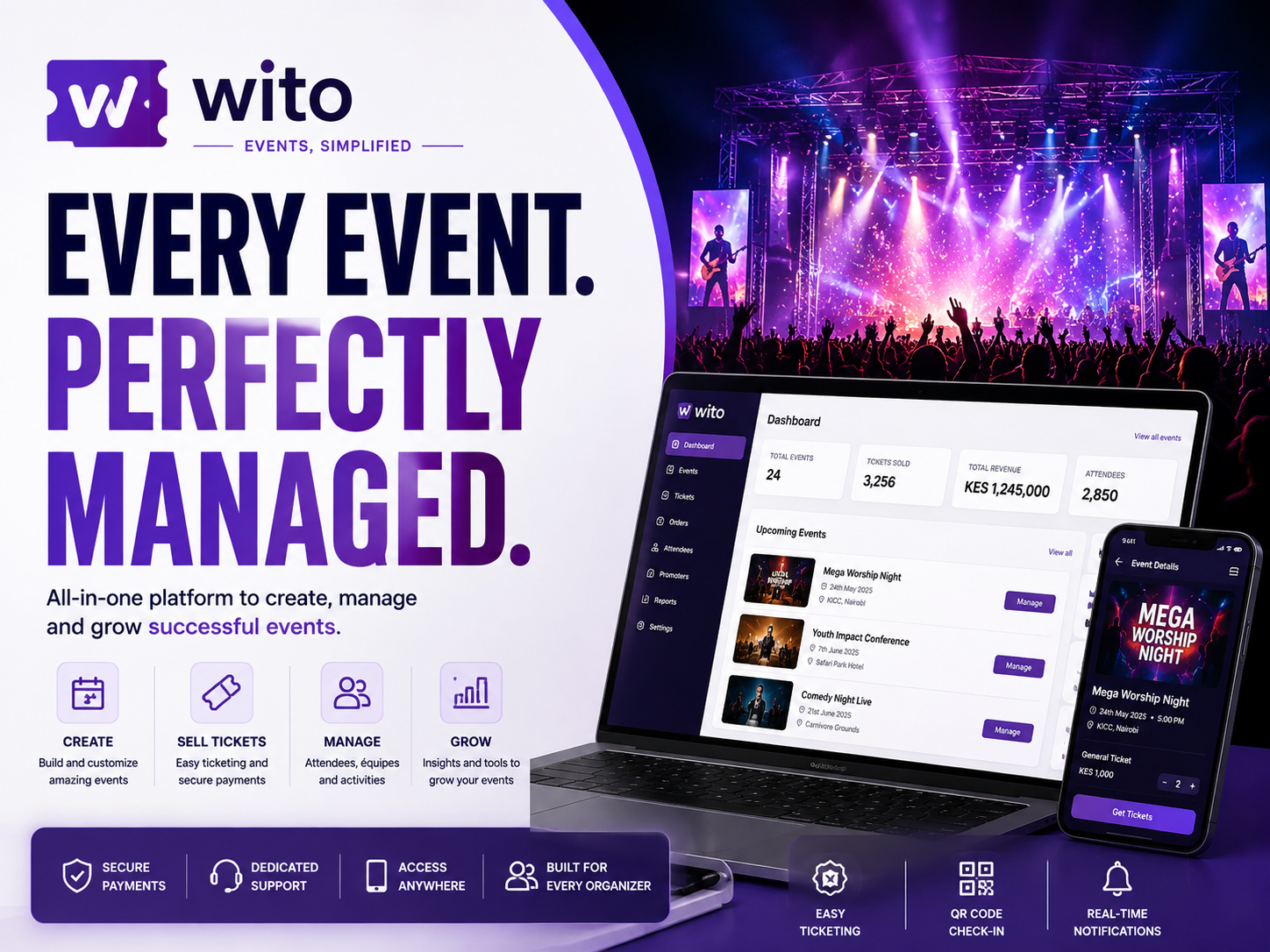
For organizations seeking an all-in-one solution, Wito provides online event creation, secure payments, QR code ticketing, customizable registration forms, attendee management, automated communication, and comprehensive reporting in a single platform. Its flexibility makes it suitable for conferences, universities, churches, corporate organizations, NGOs, exhibitions, and community events across Kenya.
How to Make the Final Decision
After completing an event ticketing software comparison, organizations should avoid choosing software based solely on price.
Instead, evaluate the platform using criteria such as:
- Ease of use
- Flexibility
- Security
- Reporting capabilities
- Mobile compatibility
- Payment integrations
- Customer support
- Scalability
- Customization options
- Long-term reliability
Request demonstrations where possible, involve the staff who will use the platform daily, and consider future organizational growth before making a final decision.
A thoughtful evaluation process reduces implementation risks while ensuring the selected solution continues supporting organizational objectives for many years.
Conclusion
Choosing the right event management platform is one of the most important decisions an event organizer can make. A detailed event ticketing software comparison enables organizations to evaluate features, security, scalability, reporting, payment options, customization, and long-term value before investing in a solution.
Whether organizing university graduations, corporate conferences, church conventions, concerts, exhibitions, charity fundraisers, or government forums, selecting the right platform leads to better operational efficiency, stronger security, improved attendee experiences, and more successful events.
As digital transformation continues across Kenya and beyond, organizations that invest in flexible and scalable event management technology will be better positioned to manage larger events, deliver professional attendee experiences, and achieve sustainable growth. Conducting a thorough event ticketing software comparison is therefore not just a purchasing exercise—it is a strategic step toward building better events now and in the future.
Benefits of Event Ticketing Software Comparison for Different Stakeholders
Conducting an event ticketing software comparison is not only beneficial for event organizers but also for every stakeholder involved in planning, managing, sponsoring, and attending an event. Different organizations have different priorities, and comparing available ticketing platforms ensures that each stakeholder’s needs are considered before making an investment. A thorough event ticketing software comparison helps organizations avoid costly mistakes, improve operational efficiency, and select software that delivers long-term value instead of only meeting short-term requirements.
Whether the event involves a university graduation, church conference, corporate seminar, music festival, trade exhibition, fundraising dinner, sporting event, or government forum, the right ticketing platform creates a better experience for everyone. Instead of relying on manual registration, paper tickets, and disconnected spreadsheets, organizations can centralize event planning, registration, communication, payments, reporting, and attendee management in one system.
Another advantage of performing an event ticketing software comparison is that it allows organizations to evaluate platforms based on flexibility rather than popularity. A platform that works perfectly for a music concert may not be ideal for a university conference or a church convention. Understanding these differences helps decision-makers choose software that aligns with their operational goals and future growth plans.
Benefits for Event Organizers
Event organizers coordinate dozens of activities before, during, and after every event. They create registration pages, manage ticket sales, monitor attendance, coordinate vendors, communicate with attendees, supervise check-in teams, and prepare post-event reports. Managing these responsibilities manually consumes time and increases the likelihood of errors.
A detailed event ticketing software comparison enables organizers to identify platforms that automate repetitive tasks while providing greater visibility into event performance. Instead of spending hours updating spreadsheets or manually confirming registrations, organizers can use one centralized dashboard to monitor every stage of the event lifecycle.
Key benefits include:
- Centralized event management.
- Online registration.
- Automated ticket generation.
- Real-time ticket sales monitoring.
- QR code attendee verification.
- Automated attendee communication.
- Financial reporting.
- Attendance analytics.
- Multiple staff accounts.
- Event performance tracking.
By selecting the right platform through an event ticketing software comparison, organizers spend less time on administration and more time delivering exceptional event experiences.
Benefits for Event Attendees
The registration experience shapes the first impression attendees have of an event. Slow registration processes, confusing payment systems, or delayed ticket delivery can discourage participation before the event even begins.
Choosing the right platform through an event ticketing software comparison helps organizations provide attendees with a fast, secure, and convenient registration experience.
Attendees benefit from:
- Simple online registration.
- Mobile-friendly ticket purchasing.
- Instant ticket delivery.
- Secure online payments.
- QR code digital tickets.
- Faster venue access.
- Automatic event reminders.
- Programme updates.
- Mobile ticket storage.
- Reduced waiting times.
Modern attendees increasingly expect digital experiences. A carefully completed event ticketing software comparison ensures the chosen platform meets these expectations while reducing frustration for participants.
Benefits for Businesses and Corporate Organizations
Corporate organizations regularly organize:
- Annual conferences.
- Product launches.
- Staff training.
- Executive meetings.
- Customer appreciation events.
- Partner forums.
- Business networking sessions.
- Investor presentations.
Each event requires different registration processes, attendee categories, payment structures, and reporting requirements.
By conducting an event ticketing software comparison, businesses can identify platforms that support customized registration forms, branded event pages, sponsor management, networking opportunities, and executive reporting.
Corporate event planners also benefit from improved budgeting because modern platforms provide accurate revenue reports, attendance statistics, and marketing insights that support future planning.
Benefits for Universities and Educational Institutions
Universities and colleges organize hundreds of events every academic year.
Examples include:
- Graduation ceremonies.
- Orientation programmes.
- Academic conferences.
- Career fairs.
- Student leadership elections.
- Innovation competitions.
- Alumni reunions.
- Faculty workshops.
- Public lectures.
- Sports competitions.
Educational institutions should perform an event ticketing software comparison because different platforms offer varying levels of support for academic events.
Some systems provide student verification, faculty registration, workshop management, and graduation guest ticketing, while others focus primarily on entertainment events.
Choosing software designed for educational environments improves operational efficiency while simplifying event administration.
Benefits for Churches and Faith-Based Organizations
Churches regularly host conferences, leadership seminars, worship concerts, youth conventions, fundraising dinners, mission programmes, and community outreach initiatives.
Many of these events rely on volunteers rather than dedicated administrative staff.
Completing an event ticketing software comparison helps churches identify platforms that simplify volunteer registration, accommodation requests, ministry grouping, donation collection, and attendee communication.
Automation reduces paperwork while allowing church leaders to focus more on ministry and attendee engagement.
Benefits for Government Institutions and NGOs
Government agencies and non-governmental organizations organize public participation forums, policy consultations, donor meetings, awareness campaigns, exhibitions, stakeholder workshops, and community training programmes.
These organizations often require:
- Invitation management.
- Detailed reporting.
- Secure attendee records.
- Audit trails.
- Financial accountability.
- Transparent registration processes.
A comprehensive event ticketing software comparison allows public institutions and NGOs to evaluate which platforms provide the highest levels of accountability while remaining easy to use.
Improving Efficiency Through Automation
Automation has transformed modern event management by reducing repetitive administrative work and improving consistency.
During an event ticketing software comparison, organizations should carefully evaluate how much automation each platform provides.
Automation affects nearly every stage of the event lifecycle.
Automated Registration
Instead of processing registrations manually, attendees complete online forms while the platform instantly records their information.
Organizers no longer need to enter participant details into spreadsheets.
Automatic Ticket Generation
Immediately after successful registration, event ticketing software comparison becomes especially valuable because the best platforms automatically generate personalized digital tickets containing secure QR codes.
This eliminates manual ticket creation while improving attendee satisfaction.
Automated Communication
Modern platforms automatically send:
- Registration confirmations.
- Payment receipts.
- Reminder emails.
- Venue directions.
- Speaker announcements.
- Schedule updates.
- Event notifications.
- Thank-you messages.
Automated communication ensures attendees receive accurate information without requiring manual follow-up from organizers.
Capacity Management
Another important feature identified during an event ticketing software comparison is automated capacity control.
Once ticket limits are reached, registrations can close automatically or new attendees can be added to waiting lists.
This prevents overcrowding while improving safety.
Financial Automation
Professional ticketing platforms automatically calculate:
- Ticket revenue.
- Taxes.
- Discounts.
- Complimentary admissions.
- Refunds.
- Outstanding balances.
Finance teams spend less time preparing reports while improving financial accuracy.
Real-Time Monitoring
Modern dashboards allow organizers to monitor:
- Ticket sales.
- Registrations.
- Revenue.
- Attendance.
- Payment status.
- Marketing performance.
Real-time information helps organizers make informed decisions before and during the event instead of reacting after problems occur.