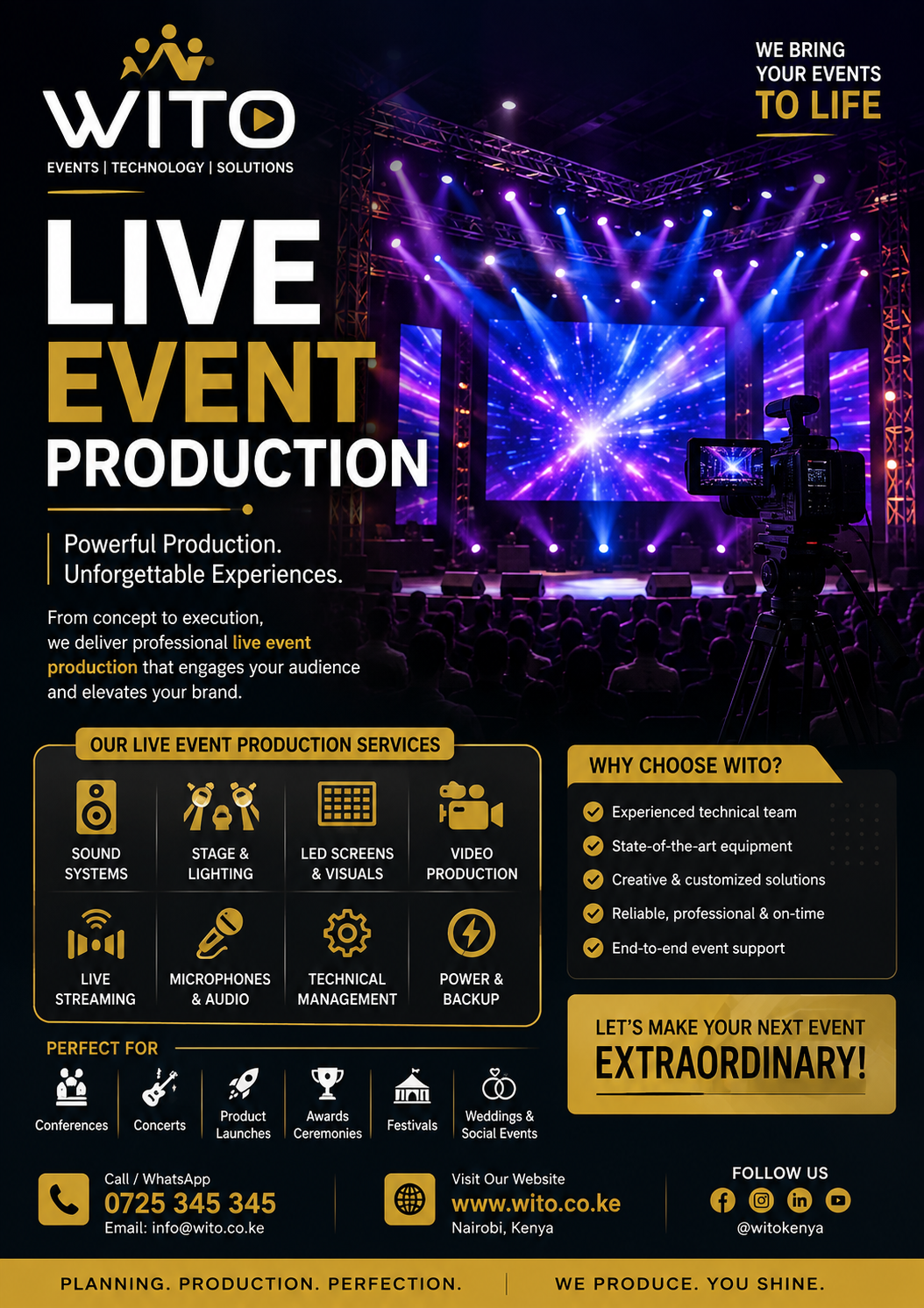
Hybrid Event Production has become an important solution for organizations that want to connect physical and virtual audiences through the same event. By combining an in-person event with professional online broadcasting, organizations can reach attendees in the venue while also allowing people from different locations to participate remotely.
Modern conferences, corporate meetings, business summits, product launches, training sessions, webinars, exhibitions, and industry events are increasingly using hybrid formats. Instead of limiting attendance to people who can physically travel to a venue, organizers can extend the event to online audiences through professional video, audio, streaming, and audience engagement technology.
A well-executed hybrid event requires more than simply placing a camera in front of a stage and broadcasting the event online. It requires careful planning, professional audiovisual equipment, reliable internet connectivity, experienced technical teams, appropriate streaming platforms, and a production strategy designed for both physical and virtual audiences.
A professional Hybrid Event Production setup connects these different elements so that people attending physically and those joining online can follow the same event with minimal disruption.
Whether you are organizing a corporate conference, executive meeting, international summit, training program, product launch, educational event, or industry forum, hybrid production can help expand your reach while maintaining a professional event experience.
What Is Hybrid Event Production?
Hybrid Event Production refers to the technical and creative process of delivering an event simultaneously to a physical audience and an online audience.
The physical audience attends a venue while remote participants join through an online platform.
The production team connects both audiences using:
- Professional cameras
- Microphones
- Audio mixers
- Video switchers
- LED screens
- Presentation systems
- Streaming equipment
- Internet connectivity
- Virtual event platforms
- Lighting systems
- Technical support
The goal is to make the event accessible to both audiences without compromising the experience of either group.
For example, a business may organize a conference in Nairobi with 500 people attending physically while several hundred participants join online from other parts of Kenya, Africa, or international locations.
The physical attendees can watch the speakers on stage while online attendees watch the same presentations through a live broadcast.
Why Hybrid Events Are Becoming Popular
Hybrid events provide organizations with greater flexibility.
Traditional physical events are limited by venue capacity, travel requirements, and geographical location. Online events remove some of these limitations but may lack the atmosphere and networking opportunities of physical gatherings.
Hybrid events combine elements of both formats.
Wider Audience Reach
One of the biggest advantages of hybrid events is the ability to reach people who cannot attend physically.
Participants may be unable to travel because of:
- Distance
- Work schedules
- Travel costs
- Accommodation expenses
- Health considerations
- International travel restrictions
- Limited venue capacity
A hybrid format allows these participants to join remotely.
Increased Accessibility
Hybrid events can make conferences and meetings more accessible to people in different locations.
A participant in Mombasa, Nairobi, Kisumu, Kampala, London, or another location can potentially attend the same event without traveling to the physical venue.
Flexible Attendance
Some participants may prefer attending physically, while others may find online attendance more convenient.
Offering both options allows organizations to accommodate different preferences.
Extended Event Reach
A physical event may end when the venue closes, but recorded sessions and online content can continue generating value afterward.
Conference recordings can be shared through:
- Websites
- Social media
- YouTube
- Internal company platforms
- Training portals
- Email campaigns
This can extend the lifespan of the event.
How Hybrid Events Work
A hybrid event requires several systems to work together.
The physical event takes place at a venue with speakers, attendees, stage production, lighting, sound, and presentation technology.
Cameras capture the event and send video signals to a production control system.
Microphones capture speaker audio, while the audio mixer balances different sound sources.
The video production team combines camera feeds, presentations, graphics, and other visual content.
The final production feed is then sent to a streaming platform where remote participants can watch the event.
At the same time, online participants may communicate through chat, Q&A tools, polls, and other engagement features.
This creates a connection between the physical and virtual audiences.
Key Components of Hybrid Event Production
Successful hybrid events depend on several technical components.
Professional Cameras
Cameras capture speakers, panelists, presentations, audience reactions, and other important moments.
A multi-camera setup provides greater flexibility than using a single camera.
Possible camera positions include:
- Main stage camera
- Speaker close-up camera
- Wide-angle camera
- Audience camera
- Panel camera
- Interview camera
Camera operators can change perspectives throughout the event.
Professional Audio
Audio is one of the most important components of a hybrid event.
Online participants need to hear speakers clearly.
A professional audio setup may include:
- Wireless microphones
- Lapel microphones
- Headset microphones
- Podium microphones
- Digital mixing consoles
- Audio processors
- Speakers
- Recording systems
The production team can create separate audio mixes for the physical venue and online broadcast when necessary.
Video Switching
Video switching allows production operators to select different visual sources during the event.
Sources may include:
- Cameras
- Presentations
- Videos
- Graphics
- Remote speakers
- Sponsor content
The operator can switch between these sources based on the event program.
For example, when a keynote speaker begins, the production team can display the speaker’s camera feed. When the presentation begins, the production can switch to the presentation slides.
Live Streaming
Live streaming connects the physical event with remote attendees.
A Hybrid Event Production team can prepare a streaming workflow that includes cameras, audio, video switching, encoding, internet connectivity, and the selected online platform.
Streaming platforms can allow remote attendees to:
- Watch presentations
- Ask questions
- Participate in polls
- Submit comments
- Interact with speakers
- Network with other participants
The choice of streaming platform depends on the event objectives and audience.
Internet Connectivity
Reliable internet connectivity is essential.
Streaming high-quality video requires sufficient upload bandwidth and stable connectivity.
Production teams should test the venue’s internet connection before event day.
Depending on the event requirements, organizers may consider:
- Dedicated internet
- Backup internet connections
- Mobile connectivity
- Multiple network providers
- Network monitoring
A backup connection can provide additional protection if the primary connection experiences problems.
LED Screens and Presentation Systems
The physical audience needs to see speakers and presentation content clearly.
LED screens and projection systems can display:
- Presentation slides
- Speaker names
- Event branding
- Videos
- Remote participants
- Live camera feeds
- Sponsor messages
The online audience can receive the same content through the broadcast feed.
A professional Hybrid Event Production setup ensures that presentations are properly integrated into both the physical and online experience.
Virtual Audience Engagement
One challenge of hybrid events is keeping remote attendees engaged.
Simply broadcasting a physical event may not be enough.
Organizers can use:
- Live polls
- Online Q&A
- Chat
- Digital networking
- Audience surveys
- Interactive sessions
- Social media integration
Moderators can also monitor online questions and bring them into physical discussions.
This helps remote participants feel like active members of the event rather than passive viewers.
Hybrid Conference Production
Conferences are one of the most common applications of hybrid events.
A hybrid conference may include:
- Keynote speeches
- Panel discussions
- Breakout sessions
- Workshops
- Product presentations
- Networking
- Q&A sessions
The production team needs to coordinate physical speakers and online participants.
Remote speakers can join through video conferencing systems and appear on venue screens.
Physical speakers can be captured by cameras and delivered to online audiences.
Corporate Hybrid Events
Businesses can use hybrid production for:
- Annual meetings
- Leadership conferences
- Training sessions
- Investor meetings
- Product launches
- Employee meetings
- Business forums
Corporate hybrid events allow companies to include employees, partners, customers, and stakeholders who may be located in different regions.
This can reduce the need for everyone to travel to the same location.
A professional Hybrid Event Production setup also allows businesses to maintain a consistent brand experience across physical and virtual environments.
Hybrid Product Launches
Product launches can benefit from hybrid technology because companies can invite physical guests while simultaneously reaching online audiences.
A product launch may include:
- Branded stage
- Product demonstrations
- LED screens
- Professional lighting
- Multi-camera production
- Live streaming
- Online Q&A
- Social media coverage
Online viewers can watch the product reveal while physical attendees experience the launch in person.
Hybrid Training and Workshops
Training programs can also use hybrid production.
An organization may have instructors teaching from a physical venue while employees or participants join remotely.
Production systems can allow participants to see:
- Instructor
- Presentation slides
- Demonstrations
- Videos
- Practical activities
Remote participants can ask questions through chat or video connections.
This format can help organizations train employees across multiple locations.
Hybrid Event Planning
Planning should begin well before the event.
Organizers should define:
- Event objectives
- Target audience
- Physical attendance
- Virtual attendance
- Venue
- Event schedule
- Streaming platform
- Technical requirements
- Speakers
- Internet requirements
- Budget
Once these requirements are established, the production team can design an appropriate technical solution.
Venue Assessment
A site survey helps identify the technical requirements of the venue.
Production teams may evaluate:
- Internet connectivity
- Power supply
- Stage space
- Lighting conditions
- Camera positions
- Audio requirements
- LED screen locations
- Equipment access
- Loading areas
This information helps prevent technical surprises during setup.
Technical Rehearsals
Technical rehearsals are especially important for hybrid events.
The team should test:
- Cameras
- Microphones
- Presentations
- Video switching
- Streaming
- Internet connection
- Remote speakers
- Online audience interaction
- LED screens
- Lighting
Remote speakers should also connect before the event to test their cameras, microphones, internet connections, and presentations.
Benefits of Professional Hybrid Event Production
Working with an experienced production team offers several advantages.
Professional Quality
High-quality cameras, audio equipment, lighting, and streaming systems create a better experience.
Reliable Technical Support
Experienced technicians can monitor systems and respond quickly to problems.
Better Audience Engagement
Interactive tools help remote attendees participate.
Wider Reach
Online participation allows organizations to reach people beyond the physical venue.
Better Content
Professional recording creates high-quality content that can be reused after the event.
Stronger Brand Experience
Consistent visual production helps organizations maintain their branding across physical and digital channels.
Advanced Hybrid Event Production Solutions for Modern Events
As hybrid events continue to become more common, organizers need production solutions that can effectively connect physical and virtual audiences. A successful Hybrid Event Production setup requires careful coordination between audiovisual equipment, online platforms, internet connectivity, speakers, presenters, technicians, and audience engagement tools.
The objective is not simply to broadcast an event online. The goal is to create a connected experience where physical and remote participants can both follow the program, interact with speakers, access presentations, and participate in important sessions.
Remote Speaker Integration
Remote speakers have become an important part of modern events.
An organization may invite an international expert, executive, researcher, or industry leader who cannot travel to the physical venue. Instead of excluding the speaker, organizers can integrate them into the event remotely.
A professional Hybrid Event Production setup can connect remote speakers through video conferencing systems and display them on the venue’s LED screen.
Remote speakers may participate in:
- Keynote presentations
- Panel discussions
- Interviews
- Training sessions
- Product demonstrations
- Question-and-answer sessions
Before the event, technicians should test the remote speaker’s camera, microphone, lighting, internet connection, presentation, and communication platform.
This preparation reduces the possibility of delays during the live session.
Multi-Camera Production
Multi-camera production can significantly improve the quality of a hybrid event.
Instead of showing one fixed camera angle throughout the event, several cameras can capture different perspectives.
A production setup may include:
- Main stage camera
- Speaker close-up camera
- Wide-angle camera
- Audience camera
- Panel camera
- Presentation camera
- Interview camera
The video director can switch between these feeds based on what is happening on stage.
For example, a keynote presentation may begin with a wide shot before switching to a close-up of the speaker. When the presentation slides appear, the production team can switch to the presentation feed.
This creates a more professional viewing experience for remote attendees.
Video Switching and Content Integration
A hybrid event may have many visual sources operating at the same time.
These can include:
- Cameras
- Presentation slides
- Videos
- Remote speakers
- Event graphics
- Sponsor content
- Social media feeds
Video switching equipment allows operators to select which source appears on the physical venue screens and online broadcast.
A professional Hybrid Event Production team prepares these sources before the event and creates a structured switching plan.
This reduces delays when moving from one session to another.
Professional Audio for Hybrid Events
Audio quality is particularly important for online audiences.
A speaker may appear visually clear on a livestream, but poor audio can make the session difficult to follow.
Professional audio production can include:
- Wireless microphones
- Lapel microphones
- Headset microphones
- Podium microphones
- Digital mixers
- Audio processors
- Stage monitors
The audio team monitors microphone levels throughout the event.
Separate audio feeds may also be required for the physical audience and the online broadcast.
For example, music played inside the venue may need to be adjusted differently for online viewers.
Hybrid Event Lighting
Lighting affects the appearance of both the physical venue and the online broadcast.
Poor lighting can make speakers difficult to see on camera, even when the venue appears adequately lit to people sitting in the audience.
Production teams consider:
- Speaker lighting
- Stage lighting
- Background lighting
- LED screen brightness
- Camera exposure
- Color temperature
- Audience lighting
A professional lighting setup helps cameras produce clearer images while also creating an attractive physical environment.
Virtual Audience Engagement
Keeping remote participants engaged is one of the biggest challenges of hybrid events.
Online viewers can easily become distracted if they only watch a passive broadcast for several hours.
Organizers can introduce interactive features such as:
- Live polls
- Online Q&A
- Chat
- Surveys
- Digital networking
- Interactive quizzes
- Social media walls
A moderator can monitor online questions and bring them into physical panel discussions.
This helps create a stronger connection between both audiences.
Online Question and Answer Sessions
Q&A sessions can be designed for both physical and virtual attendees.
Physical attendees can ask questions using handheld microphones, while online participants can submit questions through the event platform.
A moderator can combine questions from both audiences.
This makes the event feel more inclusive and prevents remote participants from being treated as secondary attendees.
Virtual Networking
Networking is often one of the most valuable aspects of conferences and business events.
Physical attendees can network naturally during breaks, but online participants require dedicated tools.
Virtual networking may include:
- Online discussion rooms
- One-to-one video meetings
- Chat features
- Digital profiles
- Business matchmaking
- Virtual exhibitor booths
The right approach depends on the event audience and objectives.
Hybrid Exhibition Experiences
Exhibitions can also be adapted to hybrid formats.
Physical exhibitors can showcase their products at the venue while online audiences access digital information about the exhibitors.
Virtual exhibition elements can include:
- Product videos
- Digital brochures
- Online demonstrations
- Company profiles
- Contact forms
- Live product presentations
This allows exhibitors to reach potential customers who are not physically present.
Hybrid Product Demonstrations
Product demonstrations can be broadcast to online audiences using multiple cameras and professional presentation systems.
For example, a technology company launching a new product can use one camera to capture the presenter and another camera focused on the product itself.
The production team can switch between these views during the demonstration.
This allows online viewers to understand the product more clearly.
Hybrid Corporate Meetings
Businesses can use hybrid production for internal meetings involving employees from multiple locations.
Examples include:
- Annual general meetings
- Leadership meetings
- Staff meetings
- Company announcements
- Investor meetings
- Strategy sessions
- Training programs
A professional Hybrid Event Production setup allows employees to participate remotely while executives and presenters remain at the physical venue.
Hybrid Conferences
Large conferences can benefit significantly from hybrid technology.
A hybrid conference may include multiple speakers, panel discussions, breakout sessions, networking, sponsor presentations, and live Q&A.
Each component requires technical coordination.
Production teams need to manage:
- Stage audio
- Camera feeds
- Presentations
- LED screens
- Remote speakers
- Online attendees
- Streaming
- Recording
This makes professional technical management particularly important.
Breakout Sessions
Large conferences may include multiple breakout sessions.
Some sessions can take place physically while others are delivered online.
Production teams need to determine how each session will be supported.
Requirements may include:
- Individual room audio
- Cameras
- Presentation systems
- Video conferencing
- Streaming
- Recording
Clear technical planning prevents confusion when attendees move between sessions.
Hybrid Event Branding
Branding should be consistent across the physical and digital experience.
The event’s identity can appear on:
- Stage screens
- Presentation templates
- Livestream graphics
- Speaker lower thirds
- Social media graphics
- Virtual waiting rooms
- Digital event platforms
A consistent visual identity makes the event appear more professional.
Sponsor Branding
Sponsors are often an important source of event funding.
Hybrid events create additional opportunities for sponsor visibility.
Sponsors can appear through:
- LED screen graphics
- Livestream graphics
- Sponsored videos
- Speaker introductions
- Digital banners
- Virtual exhibition areas
- Social media content
Online audiences can therefore provide additional value to event sponsors.
Conference Recording
Recording the event allows organizers to create content that can be used after the event.
Important sessions can be edited into shorter videos for:
- Social media
- YouTube
- Websites
- Training
- Marketing
- Internal communications
A professional production team can record multiple camera angles and presentation feeds to provide better editing options.
Streaming Platforms
The streaming platform should match the event’s requirements.
Depending on the audience, organizers may use platforms that support:
- Large audiences
- Private access
- Registration
- Live chat
- Q&A
- Polls
- Recording
- Analytics
The production team should test the selected platform before the event.
Internet Backup Solutions
Internet failure is one of the biggest risks during a hybrid event.
If the internet connection fails, online participants may lose access to the broadcast.
Professional production planning should therefore consider backup connectivity.
Possible solutions include:
- Secondary internet connection
- Mobile data backup
- Multiple service providers
- Dedicated event connectivity
- Network monitoring
The appropriate solution depends on the venue and event requirements.
Backup Equipment
Technical equipment can fail unexpectedly.
Production teams should identify critical systems and prepare alternatives.
Backup equipment may include:
- Spare microphones
- Backup computers
- Additional cables
- Backup cameras
- Alternative internet connections
- Spare presentation systems
- Backup power
A strong contingency plan can prevent a small equipment problem from becoming a major event disruption.
Power Management
Power is another important consideration.
Hybrid production may require electricity for:
- Cameras
- LED screens
- Lighting
- Computers
- Audio systems
- Streaming equipment
- Video switchers
- Internet equipment
Production teams should calculate power requirements before setup.
Depending on the venue, backup power may also be required.
Technical Rehearsals
A full technical rehearsal should be conducted before the event.
The production team should test:
- All microphones
- Cameras
- Presentations
- LED screens
- Lighting
- Streaming
- Internet
- Remote speakers
- Q&A systems
- Recording
- Sponsor content
Remote speakers should join the rehearsal from the same location and equipment they will use during the live event whenever possible.
Speaker Preparation
Speakers should receive technical instructions before the event.
They should understand:
- How to use their microphone
- Where to stand
- How to use presentation clickers
- Where to look when cameras are active
- How to interact with remote audiences
- How to join remotely if necessary
Good speaker preparation improves confidence and reduces technical interruptions.
Technical Support During the Event
Having technicians on-site is important because problems can occur without warning.
Technical teams should monitor:
- Audio
- Video
- Streaming
- Internet
- Lighting
- Presentations
- Cameras
- Remote participants
A production manager can communicate with the event organizer and stage manager throughout the program.
This creates a coordinated response when changes are required.
Common Hybrid Event Challenges
Hybrid events provide many benefits, but they also introduce technical challenges.
Internet Failure
A weak internet connection can interrupt streaming.
Audio Delays
Online participants may experience delays between the physical event and broadcast.
Remote Speaker Problems
Poor internet, microphones, or cameras can affect remote presentations.
Audience Engagement
Remote attendees may become less engaged if the event does not provide interactive features.
Technical Complexity
Hybrid events involve more systems than simple physical events.
Professional planning helps reduce these challenges.
Benefits of Professional Hybrid Event Production
Working with an experienced production provider offers several advantages.
Better Technical Quality
Professional cameras, audio systems, lighting, and streaming equipment improve the broadcast.
Wider Audience
Organizations can reach people who cannot attend physically.
Greater Flexibility
Attendees can choose between physical and virtual participation.
Improved Content
Professional recordings can create valuable content for future marketing and communication.
Better Sponsor Opportunities
Sponsors can receive visibility both at the venue and online.
Professional Brand Image
Consistent production improves the organization’s presentation.
How to Choose the Right Hybrid Event Production Partner
Choosing the right production partner is one of the most important decisions when planning a hybrid event. The provider needs to understand both physical event production and online broadcasting.
A successful Hybrid Event Production partner should have the equipment, technical team, experience, and contingency plans required to manage the complete event.
Experience and Portfolio
Start by reviewing the company’s previous projects.
Look for experience with:
- Corporate events
- Conferences
- Product launches
- Training programs
- Business meetings
- Industry summits
- Hybrid conferences
- Large-scale events
A strong portfolio can demonstrate whether the provider understands different event formats and technical requirements.
Technical Equipment
Ask about the equipment available for the event.
Important equipment may include:
- Professional cameras
- Wireless microphones
- Digital audio mixers
- LED screens
- Video switchers
- Streaming encoders
- Presentation computers
- Lighting equipment
- Backup internet
- Recording equipment
Equipment should be modern, reliable, and properly maintained.
Experienced Technical Crew
Professional equipment requires skilled operators.
The production team may include:
- Production manager
- Audio engineer
- Camera operators
- Video director
- Lighting technician
- Streaming technician
- Stage manager
- Presentation operator
Experienced technicians can identify problems quickly and make adjustments during the event.
Hybrid Event Budget
The cost of a hybrid event depends on its complexity.
Factors that influence pricing include:
- Venue size
- Number of attendees
- Number of cameras
- Event duration
- LED screen requirements
- Sound requirements
- Lighting requirements
- Streaming platform
- Internet connectivity
- Number of technicians
- Recording requirements
- Travel and transportation
A small hybrid seminar may require only a basic setup, while a large international conference may need multiple cameras, large LED screens, advanced streaming, professional lighting, and a large technical crew.
When comparing quotations, organizers should look beyond the total price.
The quotation should clearly explain what equipment, personnel, setup, streaming, recording, and technical support are included.
Creating a Hybrid Event Production Timeline
Planning should begin early enough to allow technical teams to prepare properly.
A typical timeline can include several stages.
Initial Planning
At the beginning, organizers should define:
- Event objectives
- Target audience
- Physical attendance
- Online attendance
- Event format
- Venue
- Date
- Program
- Budget
Technical Planning
The production team can then determine:
- Camera requirements
- Audio equipment
- Lighting
- LED screens
- Streaming platform
- Internet requirements
- Technical crew
- Backup systems
Venue Inspection
The production team should inspect the venue before finalizing the setup.
The inspection can identify:
- Power availability
- Internet connectivity
- Camera positions
- Stage dimensions
- Lighting conditions
- Equipment access
- Cable routes
Production Setup
Equipment is installed and configured before the event.
Technicians test all major systems before rehearsals begin.
Rehearsal
Speakers, technicians, moderators, and remote presenters participate in a technical rehearsal.
This allows the team to identify and correct problems before the live broadcast.
Event Day
The production team monitors the physical and online event throughout the program.
This includes monitoring:
- Audio
- Video
- Streaming
- Internet
- Presentations
- Cameras
- Lighting
- Remote speakers
Hybrid Event Technical Checklist
A detailed checklist can reduce the possibility of missing important requirements.
Audio
- Test all microphones
- Test speakers
- Check audio levels
- Test remote speaker audio
- Prepare spare microphones
- Test recording audio
Video
- Test cameras
- Check camera positions
- Test video switching
- Test presentation feeds
- Check LED screens
- Test remote video feeds
Streaming
- Test streaming platform
- Confirm internet speed
- Test backup internet
- Confirm streaming credentials
- Test online audience access
- Confirm recording
Lighting
- Test stage lighting
- Check speaker lighting
- Test camera exposure
- Confirm LED screen visibility
Presentations
- Collect presentations
- Test videos
- Check fonts and animations
- Prepare backup computers
- Test presentation clickers
Remote Speakers
- Test cameras
- Test microphones
- Check internet
- Test presentations
- Confirm joining instructions
Managing Hybrid Event Security
Online events introduce additional security considerations.
Organizers should consider who can access the event and how sensitive information will be protected.
Depending on the event, access may be controlled using:
- Registration
- Passwords
- Private event links
- Authentication
- Restricted meeting rooms
Sensitive corporate meetings may require additional security measures.
The production team and event organizer should also establish clear procedures for managing online participants.
Data and Privacy Considerations
Hybrid events may involve the collection of participant information through registration, online platforms, polls, surveys, and networking systems.
Organizers should understand how attendee information is collected, stored, and used.
They should also communicate relevant privacy information to participants.
This becomes especially important when events are recorded or streamed publicly.
Making Hybrid Events More Interactive
A hybrid event should provide opportunities for both audiences to participate.
Interactive features can include:
- Live polls
- Audience questions
- Digital quizzes
- Online surveys
- Social media walls
- Virtual networking
- Chat
- Speaker interaction
Moderators can combine questions from physical and online participants.
This creates a more balanced experience.
Using Social Media During Hybrid Events
Social media can extend the reach of a hybrid event.
Organizers can share:
- Speaker quotes
- Event photographs
- Short video clips
- Behind-the-scenes content
- Audience reactions
- Event announcements
A social media wall can also display selected posts during the physical event.
This can encourage attendees to participate online while also promoting the event to people who are not attending.
Recording and Post-Event Content
The value of a hybrid event does not have to end when the livestream finishes.
Recorded sessions can be transformed into additional content.
For example:
A keynote presentation can become a long-form video.
A panel discussion can be edited into shorter clips.
Speaker interviews can become social media content.
Presentation recordings can become training resources.
This makes professional video production an important part of the overall event strategy.
Measuring Hybrid Event Success
After the event, organizers should review both physical and virtual performance.
Useful measurements include:
- Physical attendance
- Online attendance
- Average viewing time
- Audience engagement
- Questions submitted
- Poll participation
- Social media engagement
- Sponsor visibility
- Technical incidents
- Audience satisfaction
These metrics can help organizers understand what worked and what needs improvement.
Audience Feedback
Feedback from both audiences is valuable.
Physical attendees can comment on:
- Venue experience
- Sound quality
- Stage visibility
- Presentations
- Lighting
- Networking
Virtual attendees can provide feedback about:
- Video quality
- Audio quality
- Streaming reliability
- Online interaction
- Platform usability
- Remote speaker quality
Combining both types of feedback gives organizers a better understanding of the event.
Common Mistakes to Avoid
Several mistakes can affect hybrid event performance.
Relying on One Internet Connection
If the primary connection fails, the online broadcast may stop.
A backup connection provides additional protection.
Using Poor Audio
Viewers may tolerate average video quality, but poor audio can make a livestream difficult to follow.
Professional microphones and audio mixing are therefore essential.
Ignoring Online Participants
Remote attendees should be included in discussions, Q&A sessions, polls, and networking.
Skipping Rehearsals
Without technical testing, problems may only become visible once the event has started.
Failing to Prepare Backup Equipment
Critical equipment should have backup options whenever possible.
Future of Hybrid Events
Hybrid events are likely to continue evolving as technology improves.
Future developments may include:
- Higher-quality streaming
- More interactive virtual platforms
- Artificial intelligence
- Advanced audience analytics
- Virtual reality
- Augmented reality
- Improved remote participation
- Automated event production
- More immersive LED displays
These technologies can create more personalized and engaging experiences.
Artificial intelligence may also help organizers understand audience behavior, recommend content, automate certain event processes, and analyze feedback.
Sustainable Hybrid Events
Hybrid formats can also support more sustainable event strategies.
When some attendees participate remotely, organizations may reduce the need for extensive travel.
Production teams can also use:
- Energy-efficient LED lighting
- Reusable staging
- Digital signage
- Efficient audiovisual equipment
- Digital event materials
Sustainability should be considered alongside event quality and audience experience.
Why Professional Production Matters
A successful hybrid event requires coordination across multiple technical systems.
Professional production teams understand how to integrate:
- Sound
- Video
- Lighting
- Streaming
- Presentations
- Internet
- Remote speakers
- Audience interaction
An experienced Hybrid Event Production provider can manage these systems while allowing organizers to focus on their speakers, attendees, sponsors, and event objectives.
Frequently Asked Questions
What is hybrid event production?
Hybrid event production is the process of delivering an event to both physical and online audiences using professional audiovisual equipment, streaming technology, internet connectivity, and event platforms.
What equipment is needed for a hybrid event?
Equipment may include cameras, microphones, audio mixers, LED screens, lighting, video switchers, presentation computers, streaming equipment, internet connectivity, and backup systems.
Can remote speakers participate in a physical conference?
Yes. Remote speakers can join through video conferencing systems and appear on venue screens while their presentations and audio are integrated into the event.
How can online attendees participate?
Online attendees can participate through live chat, Q&A, polls, surveys, virtual networking, and other interactive tools.
Does hybrid production require professional internet?
Reliable internet is essential for high-quality live streaming. Larger events may require dedicated internet and backup connectivity.
Can hybrid events be recorded?
Yes. Conferences, meetings, presentations, interviews, and panel discussions can be professionally recorded and repurposed after the event.
Are hybrid events suitable for corporate organizations?
Yes. Businesses can use hybrid formats for conferences, training, meetings, product launches, employee events, investor presentations, and leadership sessions.
How much does hybrid event production cost?
Costs vary depending on the number of attendees, venue, event duration, cameras, sound systems, lighting, screens, streaming requirements, technical crew, internet connectivity, and overall complexity.
Conclusion
Hybrid events have created new opportunities for organizations to connect physical and remote audiences at the same time. They allow businesses, institutions, event organizers, and associations to expand their reach without requiring every participant to travel to the same venue.
However, a successful hybrid event requires careful technical planning. Professional cameras, high-quality audio, lighting, video switching, LED screens, reliable internet, streaming platforms, remote speaker integration, and audience engagement tools all need to work together.
Choosing an experienced Hybrid Event Production provider can simplify this process. A professional team can manage the technical infrastructure, conduct rehearsals, monitor the broadcast, support speakers, handle unexpected problems, and ensure that both audiences receive a quality experience.
The future of events will continue to combine physical and digital experiences. As streaming technology, artificial intelligence, interactive platforms, virtual participation, and event analytics improve, organizations will have even more opportunities to create engaging events.
The most successful hybrid events will be those that treat physical and virtual attendees as equally important participants. Instead of simply broadcasting a physical event, organizers should design an experience that encourages interaction, communication, networking, and participation across both environments.
With proper planning, reliable technology, experienced technicians, and a strong production strategy, hybrid events can deliver greater reach, stronger engagement, better content, and long-term value for organizations and their audiences.
- hybrid event production
- hybrid event production
- hybrid event production
- hybrid event production
- hybrid event production
- hybrid event production
- hybrid event production
- hybrid event production
- hybrid event production
- hybrid event production
- hybrid event production
- hybrid event production
- hybrid event production
- hybrid event production
- hybrid event production
- hybrid event production
- hybrid event production
- hybrid event production
- hybrid event production
- hybrid event production
- hybrid event production
- hybrid event production
- hybrid event production
- hybrid event production
- hybrid event production
- hybrid event production
- hybrid event production
- hybrid event production
- hybrid event production
- hybrid event production
- hybrid event production
- hybrid event production