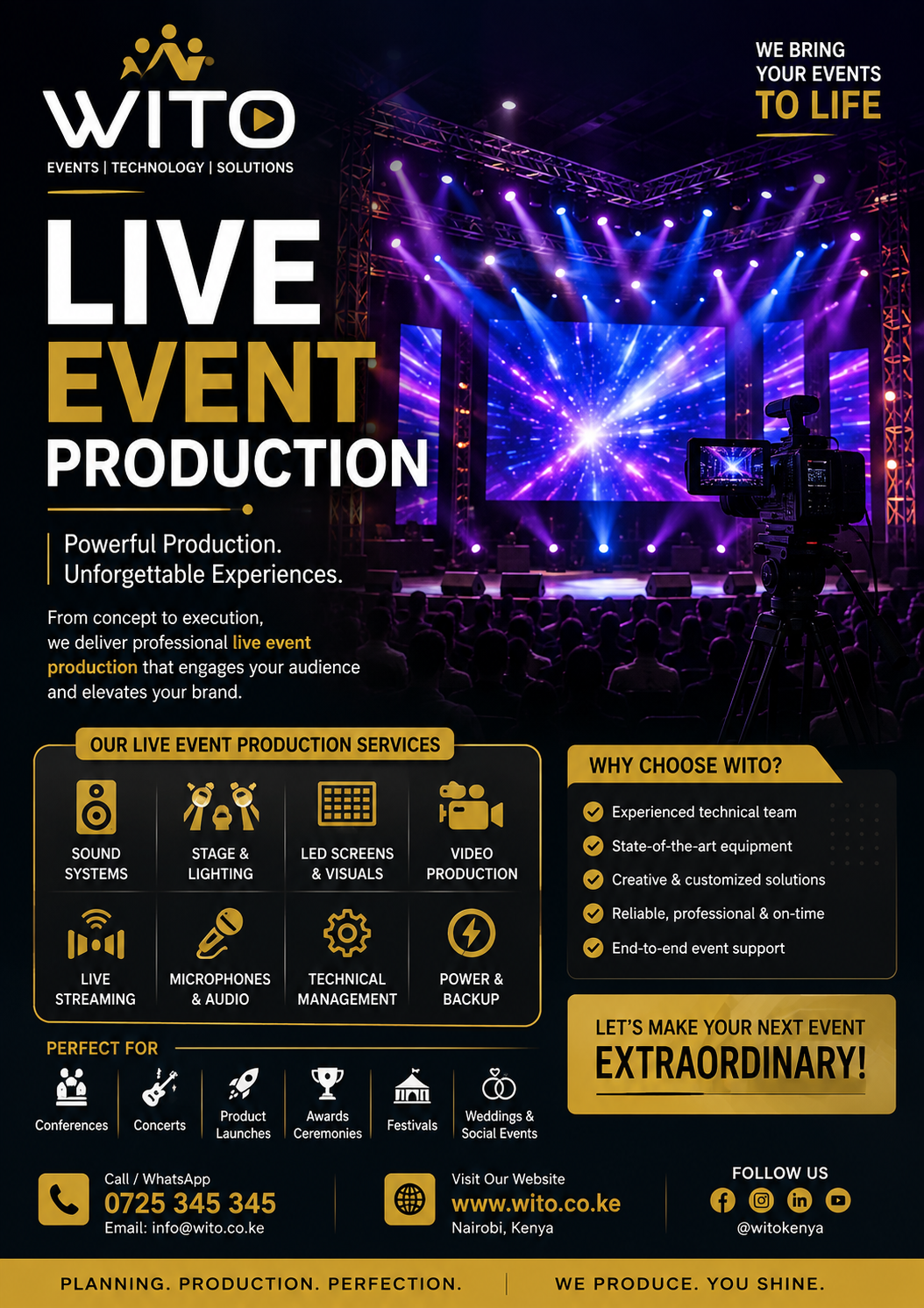
Virtual Event Production has transformed how organizations connect with audiences, speakers, customers, employees, and partners across different locations. Instead of requiring everyone to gather in one physical venue, virtual events use digital platforms, professional video, audio, streaming technology, and online engagement tools to bring participants together through the internet.
From corporate conferences and webinars to product launches, training sessions, business meetings, exhibitions, award ceremonies, and educational programs, organizations can use virtual events to reach larger audiences without the geographical limitations of traditional physical events.
However, successful online events require more than simply opening a video meeting application and sharing a link. Professional production involves careful planning, reliable technology, engaging content, technical support, speaker preparation, audience interaction, and high-quality broadcasting.
A professional Virtual Event Production team combines these elements to create an online experience that feels organized, interactive, and professional.
As organizations increasingly communicate with audiences across multiple locations, virtual events have become an important part of modern event strategies. Businesses can invite international speakers, reach customers in different markets, train employees remotely, launch products online, and host conferences without requiring every participant to travel.
This guide explains how virtual events work, the technology involved, the different types of virtual events, the benefits of professional production, and the important factors organizations should consider before hosting an online event.
What Is Virtual Event Production?
Virtual Event Production is the process of planning, managing, and technically delivering an event that takes place primarily through an online environment.
Unlike traditional events where audiences gather at a physical venue, virtual events rely on digital platforms to connect participants.
A professional virtual event may use:
- Professional cameras
- Studio lighting
- Microphones
- Audio mixing
- Video switching
- Streaming technology
- Presentation systems
- Online event platforms
- Virtual backgrounds
- Graphics
- Audience engagement tools
- Technical support
The production team manages these components to ensure speakers can present effectively and audiences can participate without unnecessary technical interruptions.
A virtual event can be broadcast from a professional studio, office, conference room, or another suitable location.
The production approach depends on the event’s objectives, audience size, content, budget, and technical requirements.
How Virtual Events Work
A typical online event involves several technical stages.
First, speakers and presenters connect to the production environment. Their cameras and microphones capture video and audio.
The production team receives these signals and manages them through professional production equipment or software.
Presentations, videos, graphics, speaker feeds, and other visual elements can then be combined into the final broadcast.
The finished production is delivered through an online platform where registered participants can watch and interact.
A typical workflow may include:
- Speaker preparation
- Camera and microphone setup
- Content collection
- Technical rehearsal
- Video production
- Audio mixing
- Graphics integration
- Live broadcasting
- Audience engagement
- Recording and post-event content
This workflow demonstrates why professional Virtual Event Production requires careful preparation.
Why Virtual Events Are Becoming Popular
Virtual events offer organizations several advantages.
Wider Geographic Reach
A physical event is limited by the location of the venue.
An online event can reach participants from different cities, countries, and regions.
For example, a company based in Kenya can organize an online conference and invite participants from Uganda, Tanzania, South Africa, the United Kingdom, the United States, or other locations.
Participants only need a suitable internet connection and compatible device.
Reduced Travel Requirements
Participants do not need to spend time traveling to a physical venue.
This can reduce costs associated with:
- Transportation
- Accommodation
- Meals
- Venue logistics
- Physical event infrastructure
This makes online events attractive for organizations with geographically distributed audiences.
Flexible Participation
Virtual events can accommodate participants who cannot attend physical events because of work schedules, travel limitations, or other commitments.
Participants can join from:
- Home
- Office
- Hotel
- School
- Business premises
- Another suitable location
Increased Accessibility
Online events can make information available to people who might otherwise struggle to attend physical events.
Organizations can also provide recorded sessions after the event, allowing participants to watch content at a later time.
Types of Virtual Events
There are many different types of events that can be delivered online.
Virtual Conferences
Virtual conferences can include keynote presentations, panel discussions, workshops, networking sessions, and Q&A.
A professional Virtual Event Production setup can integrate multiple speakers, presentations, videos, graphics, and audience interaction.
Webinars
Webinars are commonly used for:
- Education
- Marketing
- Training
- Product demonstrations
- Industry discussions
- Customer communication
A webinar may involve one presenter or several speakers.
Virtual Corporate Meetings
Companies can use online production for:
- Management meetings
- Employee meetings
- Investor presentations
- Annual meetings
- Strategy sessions
- Company announcements
Virtual Product Launches
Businesses can launch new products to audiences across different locations.
A product launch can include:
- Product demonstrations
- Promotional videos
- Speaker presentations
- Customer testimonials
- Live Q&A
- Interactive content
Virtual Training
Organizations can train employees, customers, partners, and other audiences remotely.
Online training can include presentations, demonstrations, quizzes, Q&A, and interactive workshops.
Virtual Award Ceremonies
Organizations can host recognition events online using professional graphics, speaker presentations, videos, music, and live announcements.
Virtual Exhibitions
Businesses can showcase products and services using digital exhibition environments, demonstrations, videos, and online meetings.
Virtual Conference Production
Virtual conferences require careful coordination because they may involve many speakers and sessions.
A conference can include:
- Opening remarks
- Keynote speakers
- Panel discussions
- Breakout sessions
- Presentations
- Interviews
- Q&A
- Networking
The production team needs to coordinate the speakers, content, schedule, graphics, and online audience.
Professional Virtual Event Production can help ensure that transitions between speakers and sessions are smooth.
Virtual Corporate Events
Businesses increasingly use online events to communicate with employees and external stakeholders.
Corporate applications include:
- Leadership conferences
- Staff meetings
- Investor meetings
- Customer events
- Training programs
- Product launches
- Business forums
A professional setup allows organizations to maintain their brand identity throughout the online experience.
Corporate branding can appear through:
- Presentation templates
- Speaker graphics
- Virtual backgrounds
- Introductory videos
- Lower-third graphics
- Sponsor graphics
Virtual Product Launches
Product launches require strong visual presentation.
Online production allows companies to demonstrate products to audiences in different locations.
A product launch can combine:
- Product videos
- Presenter cameras
- Demonstrations
- Animations
- Product graphics
- Customer testimonials
- Live Q&A
Professional cameras can capture product details while production operators switch between presenters and demonstration shots.
Virtual Training Events
Training programs can be delivered to employees and customers without requiring everyone to be in the same location.
A virtual training event may include:
- Instructor presentations
- Screen sharing
- Demonstrations
- Digital worksheets
- Q&A
- Online quizzes
- Breakout discussions
The production team can help ensure that both the trainer and training materials remain visible and understandable.
Webinar Production
Webinars are one of the most common forms of online events.
A professional webinar requires:
- Clear presenter audio
- High-quality video
- Presentation integration
- Stable internet
- Streaming platform
- Audience interaction
- Technical support
A Virtual Event Production provider can help organizations create a more polished webinar experience than a basic video meeting.
Professional Video Production
Video quality strongly influences the audience’s perception of an online event.
Professional video production may include multiple cameras, controlled lighting, professional backgrounds, and dedicated camera operators.
Depending on the event, cameras may capture:
- Speaker close-ups
- Wide shots
- Product demonstrations
- Interviews
- Panel discussions
- Presentation screens
The production team can then select the most appropriate camera angle during the live broadcast.
Professional Audio Production
Audio is arguably one of the most important technical elements of an online event.
If participants cannot hear the speaker clearly, the value of the presentation decreases.
Professional audio solutions can include:
- Condenser microphones
- Dynamic microphones
- Lavalier microphones
- Headset microphones
- Audio interfaces
- Digital mixers
- Audio processors
The production team can monitor audio levels and reduce unwanted background noise.
Live Streaming
Live streaming allows audiences to watch events as they happen.
Streaming technology can deliver events through different online platforms.
The production team manages:
- Video feeds
- Audio feeds
- Presentation content
- Graphics
- Internet connectivity
- Streaming encoders
- Platform settings
A professional Virtual Event Production workflow includes testing the streaming system before the event begins.
Virtual Event Platforms
The platform selected for an event should match the event’s requirements.
Different platforms may provide features such as:
- Registration
- Live streaming
- Chat
- Polls
- Q&A
- Breakout rooms
- Networking
- Recording
- Analytics
The event organizer should consider the number of attendees, interaction requirements, security needs, and type of content before selecting a platform.
Online Audience Engagement
Audience engagement is one of the biggest challenges of online events.
Participants may become distracted when watching a screen for a long period.
Organizers can improve engagement through:
- Live polls
- Q&A sessions
- Chat
- Interactive quizzes
- Surveys
- Digital networking
- Social media integration
- Audience competitions
The production team can integrate these elements into the event program.
Virtual Event Planning
Successful Virtual Event Production begins with proper planning.
Before the event, organizers should determine:
- Event objectives
- Target audience
- Number of participants
- Speakers
- Event schedule
- Platform
- Content
- Technical requirements
- Budget
- Engagement strategy
The production team can then develop a technical plan around these requirements.
Speaker Preparation
Speakers need to understand how the virtual event will operate.
Before the event, presenters should receive information about:
- Camera positioning
- Lighting
- Microphone use
- Presentation format
- Internet requirements
- Speaking schedule
- Audience interaction
- Backup communication methods
A speaker rehearsal can identify technical problems before the live event.
Technical Rehearsals
Technical rehearsals are essential.
The production team should test:
- Cameras
- Microphones
- Presentations
- Videos
- Internet
- Streaming
- Graphics
- Speaker connections
- Audience interaction
- Recording
Remote speakers should ideally participate in the rehearsal from the same environment they will use during the actual event.
Benefits of Professional Virtual Event Production
Professional production provides several benefits.
Better Presentation Quality
Professional cameras, lighting, audio, and graphics create a polished experience.
Reliable Technical Support
Technicians can monitor the event and respond to problems.
Better Audience Engagement
Interactive production keeps participants involved.
Stronger Brand Image
Professional visuals help organizations present a consistent brand.
Wider Audience Reach
Online events remove many geographical barriers.
Reusable Content
Recorded sessions can be repurposed for marketing, training, websites, and social media.
Greater Flexibility
Organizations can adapt online events to different audiences and formats.
Advanced Virtual Event Production Solutions for Modern Online Events
As online events become more sophisticated, organizations need more than basic video conferencing tools. Professional Virtual Event Production combines video, audio, graphics, streaming, audience engagement, remote speakers, presentations, and technical management to create a smooth digital experience.
A well-designed online event should feel organized from the moment participants enter the virtual environment until the final session ends. Every element, from the opening animation to speaker transitions and audience questions, should be carefully coordinated.
Multi-Camera Virtual Event Production
Multi-camera production can significantly improve the quality of an online event.
Instead of showing a single static camera angle, multiple cameras can capture different views of the presenter, stage, studio, or demonstration area.
A professional setup may include:
- Main presenter camera
- Secondary camera
- Wide-angle camera
- Product camera
- Interview camera
- Presentation camera
The production operator can switch between these sources during the broadcast.
For example, a speaker can appear in a close-up shot while presenting. When the speaker demonstrates a product, the production team can switch to a dedicated product camera.
This makes the broadcast more dynamic and engaging.
Professional Virtual Event Studio
A dedicated studio can provide greater control over the production environment.
A virtual event studio may include:
- Professional cameras
- Studio lighting
- Microphones
- Green screens
- LED displays
- Presentation monitors
- Production computers
- Audio mixers
- Streaming equipment
A controlled environment makes it easier to maintain consistent audio and video quality.
A professional Virtual Event Production team can design the studio according to the event format and branding requirements.
Remote Speaker Management
Online events often involve speakers joining from different locations.
Remote speakers may include:
- International executives
- Industry experts
- Government representatives
- Researchers
- Trainers
- Business leaders
- Guest presenters
Before the event, production teams should test each speaker’s camera, microphone, lighting, internet connection, and presentation.
This preparation reduces the likelihood of interruptions during the live session.
Virtual Panel Discussions
Panel discussions can be delivered entirely online.
Several speakers can join the virtual stage while a moderator manages the conversation.
The production team can control:
- Speaker layouts
- Camera feeds
- Microphones
- Presentation slides
- Speaker names
- Graphics
- Audience questions
A professional layout can display several panelists simultaneously while highlighting the current speaker when necessary.
Online Keynote Presentations
Keynote presentations are often the central part of conferences and business events.
A virtual keynote can combine:
- Presenter video
- Presentation slides
- Videos
- Graphics
- Animations
- Audience interaction
The presenter does not need to remain in a small video window throughout the entire presentation.
The production team can create different layouts that make the presentation more visually engaging.
Presentation Management
Presentation files should be collected and tested before the event.
Production teams should check:
- Fonts
- Videos
- Animations
- Audio
- Screen dimensions
- Transitions
- Embedded content
Presentations should also be stored on backup computers.
This reduces the risk of problems when speakers begin their sessions.
Virtual Event Branding
Branding is an important part of professional online events.
A consistent visual identity can be incorporated throughout the virtual experience.
Branding elements may include:
- Event logos
- Speaker graphics
- Lower thirds
- Opening videos
- Closing animations
- Virtual backgrounds
- Presentation templates
- Sponsor graphics
A professional Virtual Event Production team can create a visual system that keeps the event consistent across different sessions.
Lower-Third Graphics
Lower thirds are graphics displayed near the bottom of the screen.
They can identify:
- Speaker names
- Job titles
- Organizations
- Session titles
- Social media handles
These graphics help viewers understand who is speaking.
They are particularly useful during panel discussions and interviews.
Virtual Event Opening Sequences
The first few minutes of an online event can influence audience perception.
A professional opening sequence may include:
- Animated event logo
- Background music
- Event introduction
- Speaker introduction
- Sponsor recognition
- Program information
This creates a clear transition from the waiting period into the live event.
Virtual Audience Interaction
Audience participation is essential for maintaining attention.
Online audiences can interact through:
- Chat
- Q&A
- Polls
- Surveys
- Quizzes
- Reactions
- Digital networking
The production team can coordinate these tools with the event moderator.
For example, a poll can be displayed during a presentation and the results can then be discussed by the speaker.
Live Q&A Sessions
Question-and-answer sessions can make virtual events more interactive.
Participants can submit questions through the event platform.
A moderator can review the questions and select those most relevant to the discussion.
The production team can then bring the participant or question onto the virtual stage.
This creates a more interactive experience.
Virtual Networking
Networking is one of the areas that requires the most creativity in online events.
Physical events naturally provide opportunities for participants to meet during breaks.
Virtual events need digital alternatives.
These may include:
- One-to-one video meetings
- Group networking rooms
- Online discussion rooms
- Business matchmaking
- Chat channels
- Virtual lounges
The networking format should be selected based on the event audience and objectives.
Virtual Exhibitions
Businesses can use online events to showcase products and services.
A virtual exhibition may include:
- Product videos
- Company profiles
- Digital brochures
- Demonstrations
- Online meetings
- Contact forms
- Live presentations
This can allow exhibitors to communicate with people beyond the physical event location.
Virtual Product Demonstrations
Product demonstrations require strong visual presentation.
Multiple cameras can capture different aspects of the product.
For example, one camera can focus on the presenter while another provides a close-up view of the product.
The production team can switch between these feeds as the demonstration progresses.
This approach can make online demonstrations easier to follow.
Virtual Training and Workshops
Training events can be delivered online using presentations, demonstrations, interactive exercises, and Q&A sessions.
A professional production setup allows participants to see the trainer and training materials clearly.
Breakout rooms can also be used for smaller group discussions.
Virtual Corporate Meetings
Businesses can use online production for internal and external communication.
Examples include:
- Leadership meetings
- Staff meetings
- Investor presentations
- Customer meetings
- Annual meetings
- Business briefings
Professional production can make important corporate meetings more polished and easier to follow.
Live Streaming Quality
Streaming quality depends on several factors.
These include:
- Internet speed
- Upload bandwidth
- Video resolution
- Encoding
- Platform capacity
- Production equipment
Production teams should test streaming connections before the event.
A backup internet connection should also be considered for important events.
Internet Connectivity
Reliable internet is essential for online broadcasting.
A production team should determine the venue or studio’s internet requirements before the event.
Important considerations include:
- Upload speed
- Connection stability
- Dedicated bandwidth
- Backup connection
- Network congestion
- Equipment configuration
Large events may require dedicated connectivity rather than relying on an ordinary office or home connection.
Backup Internet
Internet failure can interrupt an entire online event.
For important broadcasts, production teams can prepare backup connectivity.
Potential options include:
- Secondary internet provider
- Mobile data connection
- Backup router
- Dedicated connection
- Alternative streaming location
The appropriate solution depends on the size and importance of the event.
Backup Equipment
Technical failures can happen even when equipment is properly maintained.
A professional production team should identify critical equipment and prepare alternatives.
Backup equipment may include:
- Spare microphones
- Backup cameras
- Additional cables
- Backup computers
- Extra lighting equipment
- Alternative internet equipment
- Backup power
Having alternatives available can reduce downtime.
Virtual Event Technical Rehearsals
A technical rehearsal allows the entire production workflow to be tested before the event.
The team should test:
- Cameras
- Microphones
- Presentations
- Videos
- Graphics
- Streaming
- Internet
- Speaker connections
- Q&A
- Recording
Speakers should participate in rehearsals whenever possible.
This gives technicians an opportunity to identify problems before the live broadcast.
Speaker Technical Preparation
Speakers should receive clear instructions before joining the event.
They should understand:
- Where to position the camera
- How to use the microphone
- How to share presentations
- How to join the virtual stage
- How to communicate with the production team
- What to do if the connection fails
Providing technical guidance can significantly improve the quality of remote presentations.
Virtual Event Moderation
A moderator plays an important role in online events.
The moderator can:
- Introduce speakers
- Ask questions
- Manage discussions
- Read audience questions
- Announce sessions
- Maintain the schedule
The moderator should communicate closely with the production team.
This allows technical changes to happen smoothly.
Virtual Event Schedule Management
Online audiences can lose attention during long sessions.
Event schedules should therefore include appropriate breaks and changes in content.
For example:
- Keynote
- Short break
- Panel
- Audience Q&A
- Presentation
- Networking
- Closing session
Variety can help maintain audience interest.
Recording Virtual Events
One major benefit of online production is the ability to record the event.
Recordings can later be used for:
- YouTube
- Social media
- Websites
- Training
- Marketing
- Internal communication
A professional Virtual Event Production setup can record presentations, discussions, interviews, and audience interaction.
Post-Event Content
Recorded material can be repurposed into multiple content formats.
A long keynote can become several short clips.
A panel discussion can be edited into topic-specific videos.
Speaker interviews can become promotional content.
Important presentations can become training resources.
This allows organizations to continue benefiting from the event after it has ended.
Virtual Event Analytics
Online platforms can provide useful information about audience behavior.
Organizations may be able to measure:
- Number of registrations
- Number of attendees
- Viewing duration
- Questions submitted
- Poll participation
- Engagement
- Session attendance
These insights can help organizers understand audience preferences and improve future events.
Security for Virtual Events
Online events may require access controls, particularly when discussing confidential information.
Organizers can consider:
- Registration
- Password protection
- Private event links
- Authentication
- Controlled access
- Moderator permissions
Sensitive business events may require additional security measures.
Benefits of Professional Virtual Event Production
Professional production provides several advantages.
Better Technical Quality
Professional equipment creates higher-quality video and audio.
Improved Audience Engagement
Interactive production can keep participants involved.
Professional Brand Presentation
Graphics, video, lighting, and consistent branding improve the overall appearance.
Wider Reach
Online events can reach audiences across different geographical locations.
Better Content Creation
Recorded material can be reused for marketing and training.
Technical Support
Experienced technicians can monitor and resolve problems during the event.
Common Virtual Event Production Challenges
Online events can experience technical and engagement challenges.
Poor Internet
An unstable connection can affect streaming quality.
Weak Audio
Poor microphone quality can make presentations difficult to understand.
Poor Lighting
Inadequate lighting can make speakers look unprofessional.
Speaker Problems
Remote speakers may experience connection, camera, or microphone issues.
Audience Fatigue
Long online sessions can reduce audience attention.
Platform Problems
Technical issues with the event platform can affect participation.
Planning and rehearsal can reduce many of these risks.
Improving the Virtual Audience Experience
A successful online event should be designed around the audience.
Organizers can improve the experience by:
- Keeping sessions focused
- Using engaging visuals
- Including interactive elements
- Allowing questions
- Providing breaks
- Using professional graphics
- Offering networking opportunities
- Sharing recordings afterward
The goal is to make participants feel involved rather than simply watching a long video.
How to Choose the Right Virtual Event Production Company
Choosing the right production company can determine whether an online event feels professional and engaging or disconnected and difficult to follow. A reliable Virtual Event Production partner should understand the technical requirements of online events and have the experience to manage speakers, content, streaming, audience interaction, and unexpected technical issues.
Before hiring a provider, organizers should evaluate experience, equipment, technical support, communication, pricing, and previous projects.
Experience and Portfolio
Start by reviewing the company’s previous work.
Look for experience with:
- Virtual conferences
- Webinars
- Corporate meetings
- Product launches
- Online training
- Panel discussions
- Virtual exhibitions
- Award ceremonies
A strong portfolio demonstrates that the production team understands different online event formats.
It is also useful to ask whether the company has worked with events involving similar audience sizes and technical requirements.
Production Equipment
Equipment has a major influence on the quality of an online broadcast.
A professional production company may provide:
- Professional cameras
- Microphones
- Audio mixers
- Lighting systems
- Video switchers
- Streaming encoders
- Presentation systems
- Recording equipment
- Backup internet
- Production computers
The equipment should be tested and maintained before the event.
Technical Team
Professional equipment still requires experienced people to operate it.
A production team may include:
- Production manager
- Video director
- Camera operators
- Audio engineer
- Streaming technician
- Graphics operator
- Technical director
- Event moderator
Each person should have a clearly defined responsibility.
This improves coordination during live sessions.
Understanding the Virtual Event Production Budget
The cost of an online event depends on the complexity of the production.
Factors that can influence the budget include:
- Number of speakers
- Number of attendees
- Event duration
- Number of cameras
- Streaming requirements
- Studio requirements
- Graphics
- Platform features
- Technical crew
- Recording
- Internet connectivity
- Post-event editing
A simple webinar with one presenter will generally require fewer resources than a multi-session virtual conference with several speakers and interactive features.
What Should a Production Quotation Include?
A detailed quotation should explain what the production company will provide.
It may include:
- Pre-event planning
- Technical rehearsal
- Camera equipment
- Audio equipment
- Lighting
- Streaming
- Graphics
- Technical operators
- Recording
- Post-event content
- Technical support
Organizers should also ask whether additional charges apply for extended hours, additional speakers, extra technical staff, or post-production work.
Creating a Virtual Event Timeline
Proper scheduling gives the production team enough time to prepare.
Four to Eight Weeks Before the Event
Depending on the complexity of the event, organizers can begin by:
- Defining objectives
- Selecting speakers
- Choosing the platform
- Developing the program
- Setting the budget
- Selecting the production provider
Two to Four Weeks Before the Event
The team can focus on:
- Collecting presentations
- Preparing graphics
- Confirming speakers
- Testing the platform
- Planning audience interaction
- Confirming internet requirements
One Week Before the Event
The production team should:
- Conduct speaker tests
- Test presentations
- Confirm technical requirements
- Review the event schedule
- Test streaming
- Confirm backup systems
Event Day
The technical team should arrive or connect early enough to perform final checks.
All speakers, presentations, graphics, videos, and streaming systems should be tested before the event begins.
Virtual Event Technical Checklist
A technical checklist helps prevent avoidable problems.
Video
- Test all cameras
- Check camera framing
- Test video switching
- Confirm presentation feeds
- Check graphics
- Test recording
Audio
- Test microphones
- Check audio levels
- Reduce background noise
- Test speaker audio
- Test recorded audio
Streaming
- Confirm streaming platform
- Test internet connection
- Check upload bandwidth
- Test backup connection
- Confirm event access
Speakers
- Confirm speaker schedules
- Test cameras
- Test microphones
- Check lighting
- Test presentations
- Explain joining procedures
Content
- Collect presentations
- Test videos
- Check animations
- Prepare backup files
- Confirm branding
Preparing Speakers for Online Events
Speakers have a major influence on the quality of a virtual event.
A presenter may have excellent content, but poor lighting, weak audio, or an unstable internet connection can affect the audience experience.
Speakers should be guided on:
- Camera positioning
- Lighting
- Microphone placement
- Background selection
- Presentation sharing
- Internet requirements
- Speaking schedule
- Audience interaction
A short rehearsal can help speakers become comfortable with the technical setup.
Creating a Professional Virtual Background
A virtual background can strengthen event branding.
Organizations can include:
- Company logo
- Event logo
- Sponsor logos
- Brand colors
- Event name
- Session information
However, the background should remain simple enough that it does not distract from the speaker.
For executives and presenters, a clean branded environment can create a more professional appearance.
Event Promotion
Even a technically excellent online event needs effective promotion.
Organizations can promote events through:
- Email marketing
- Social media
- Websites
- Online communities
- Partner organizations
- Digital advertising
Promotional materials should communicate:
- Event name
- Date
- Time
- Speakers
- Topic
- Registration information
- Key benefits
Registration links should be easy for participants to find.
Registration Management
Online registration helps organizers understand expected attendance.
Registration information can include:
- Name
- Organization
- Job title
- Location
- Areas of interest
Organizers can use this information to communicate with attendees before and after the event.
Increasing Audience Engagement
Keeping online audiences engaged requires intentional planning.
Organizers can introduce activities throughout the program.
Examples include:
- Polls
- Questions
- Quizzes
- Surveys
- Live chat
- Speaker interaction
- Networking sessions
Long presentations should be broken into manageable sections.
Short breaks can also help reduce audience fatigue.
Using Moderators
A moderator helps maintain the flow of the event.
The moderator can:
- Welcome attendees
- Introduce speakers
- Ask questions
- Manage Q&A
- Explain activities
- Announce breaks
- Keep sessions on schedule
The moderator should remain in communication with the production team.
This makes it easier to coordinate transitions.
Managing Multiple Speakers
Events involving many speakers require careful scheduling.
The production team should know:
- Speaker order
- Presentation duration
- Presentation files
- Camera requirements
- Microphone requirements
- Introduction details
- Session transitions
Speakers should be ready before their scheduled appearance.
This prevents unnecessary delays.
Handling Technical Problems
Even carefully planned events can experience technical issues.
Possible problems include:
- Internet failure
- Microphone failure
- Camera problems
- Presentation errors
- Platform interruptions
- Remote speaker disconnection
- Audio feedback
The production team should have contingency procedures for important sessions.
For example, if a speaker’s internet connection fails, the moderator can move to another prepared segment while the technical team attempts to reconnect the speaker.
Backup Internet and Equipment
Important events should have backup systems.
Possible backups include:
- Secondary internet connection
- Mobile data
- Spare microphones
- Backup computers
- Additional cameras
- Alternative presentation files
- Backup power
A strong contingency plan can reduce disruption.
Virtual Event Security
Security should be considered when hosting private or sensitive online events.
Organizers may use:
- Registration controls
- Password protection
- Private access links
- Participant permissions
- Moderator controls
- Waiting rooms
The level of security should reflect the nature of the event.
Corporate meetings involving confidential information may require stricter controls than a public webinar.
Measuring Event Success
After the event, organizers should review performance.
Useful metrics include:
- Registrations
- Attendance
- Average viewing time
- Questions submitted
- Poll participation
- Engagement
- Audience feedback
- Social media activity
- Leads generated
These measurements help determine whether the event achieved its objectives.
Audience Feedback
Feedback can identify areas for improvement.
Participants can be asked about:
- Video quality
- Audio quality
- Platform usability
- Speaker quality
- Session length
- Audience interaction
- Networking
- Overall experience
Organizers can use this information to improve future online events.
Post-Event Content Strategy
The event does not have to end when the livestream stops.
Recorded sessions can become additional content.
For example:
A keynote can be uploaded as a full video.
A panel discussion can be divided into several shorter clips.
Speaker interviews can be shared on social media.
Training sessions can become educational resources.
Important presentations can be repurposed for websites and internal communication.
Professional Virtual Event Production can therefore provide value beyond the live event itself.
Benefits of Professional Online Production
Working with experienced professionals provides several advantages.
Better Quality
Professional video and audio improve the viewer experience.
Greater Reliability
Experienced technicians can identify and address technical problems quickly.
Better Branding
Professional graphics and presentation design strengthen the organization’s image.
Higher Engagement
Interactive features help audiences remain involved.
Wider Reach
Online events can attract participants from multiple locations.
Reusable Content
Recordings can support future marketing and communication.
Common Mistakes to Avoid
Several mistakes can reduce the effectiveness of an online event.
Treating a Virtual Event Like a Simple Video Call
Professional events require more planning than ordinary meetings.
Ignoring Audio
Poor audio can make even a well-designed presentation difficult to follow.
Using Poor Lighting
Bad lighting can reduce video quality and make speakers look unprofessional.
Skipping Technical Rehearsals
Testing everything before the event reduces unexpected problems.
Making Sessions Too Long
Long sessions without interaction can cause audience fatigue.
Ignoring Remote Participants
Virtual audiences need opportunities to ask questions, participate, and interact.
Future Trends in Virtual Events
Online events continue to evolve alongside technology.
Important developments include:
- Artificial intelligence
- Interactive virtual platforms
- Advanced audience analytics
- Virtual reality
- Augmented reality
- AI-powered translation
- Automated event assistance
- Improved streaming quality
- Digital networking
- Immersive online environments
These technologies may make future virtual events more personalized and interactive.
Artificial Intelligence in Virtual Events
AI can support several aspects of online events.
Potential applications include:
- Automated transcription
- Content summaries
- Audience analysis
- Personalized recommendations
- Translation
- Chat assistance
- Question categorization
AI can help organizers process large amounts of event data and improve the attendee experience.
Virtual Reality and Immersive Events
Virtual reality may create new opportunities for online events.
Participants could potentially enter digital environments where they can:
- Attend presentations
- Visit virtual exhibition booths
- Network
- Explore products
- Participate in interactive sessions
While adoption varies by audience and event type, immersive technology is an area worth monitoring.
Sustainable Online Events
Virtual events can also contribute to more sustainable event strategies.
Because attendees do not need to travel to a physical venue, online events can reduce some travel-related requirements.
Organizations can also reduce their reliance on:
- Printed materials
- Physical signage
- Large physical venues
- Travel arrangements
This makes virtual formats useful for organizations looking for flexible event approaches.
Frequently Asked Questions
What is virtual event production?
Virtual Event Production is the process of planning and technically delivering an online event using video, audio, streaming, graphics, online platforms, and audience engagement technology.
What types of events can be hosted virtually?
Organizations can host conferences, webinars, training programs, product launches, corporate meetings, award ceremonies, panel discussions, exhibitions, and networking events.
What equipment is needed?
Equipment depends on the event, but may include cameras, microphones, lighting, audio mixers, video switching systems, computers, streaming equipment, and reliable internet connectivity.
Can multiple speakers participate?
Yes. Multiple speakers can participate from the same studio or different locations. Production teams can manage speaker feeds and switch between presenters during the event.
Can virtual events be recorded?
Yes. Most professionally produced online events can be recorded for later use on websites, social media, training platforms, or internal communication channels.
How can online audiences interact?
Audiences can participate through live chat, Q&A sessions, polls, surveys, quizzes, networking rooms, and other interactive features.
How much does virtual event production cost?
The cost depends on the number of speakers, audience size, event duration, production equipment, streaming requirements, graphics, technical crew, platform, and post-event services.
Conclusion
Virtual Event Production has become an important solution for organizations that want to communicate with audiences beyond physical locations.
From corporate meetings and conferences to webinars, training programs, product launches, exhibitions, and award ceremonies, online events can provide flexibility, accessibility, and wider audience reach.
However, professional results require more than a basic video call. High-quality cameras, professional audio, lighting, graphics, streaming technology, reliable internet, audience engagement tools, speaker preparation, and technical support all contribute to the final experience.
Choosing the right production partner can make the entire process easier. An experienced team can plan the technical setup, prepare speakers, test equipment, manage the live broadcast, monitor audience interaction, respond to technical issues, and record valuable content.
Organizations should also think beyond the live broadcast. Recordings, audience data, social media clips, presentations, and other event content can continue generating value long after the event ends.
As online event technology develops, new opportunities will continue emerging. Artificial intelligence, virtual reality, advanced analytics, interactive platforms, and improved streaming technology can make digital events increasingly engaging.
The most effective online events are those designed around the audience. Participants should be able to see and hear speakers clearly, interact with content, ask questions, participate in discussions, and access useful information without unnecessary technical barriers.
With proper planning, professional equipment, experienced technicians, engaging content, and a clear event strategy, organizations can deliver online experiences that are professional, accessible, and memorable.
- virtual event production
- virtual event production
- virtual event production
- virtual event production
- virtual event production
- virtual event production
- virtual event production
- virtual event production
- virtual event production
- virtual event production
- virtual event production
- virtual event production
- virtual event production
- virtual event production
- virtual event production
- virtual event production
- virtual event production
- virtual event production
- virtual event production
- virtual event production
- virtual event production
- virtual event production
- virtual event production
- virtual event production
- virtual event production
- virtual event production
- virtual event production
- virtual event production
- virtual event production
- virtual event production
- virtual event production
- virtual event production
- virtual event production