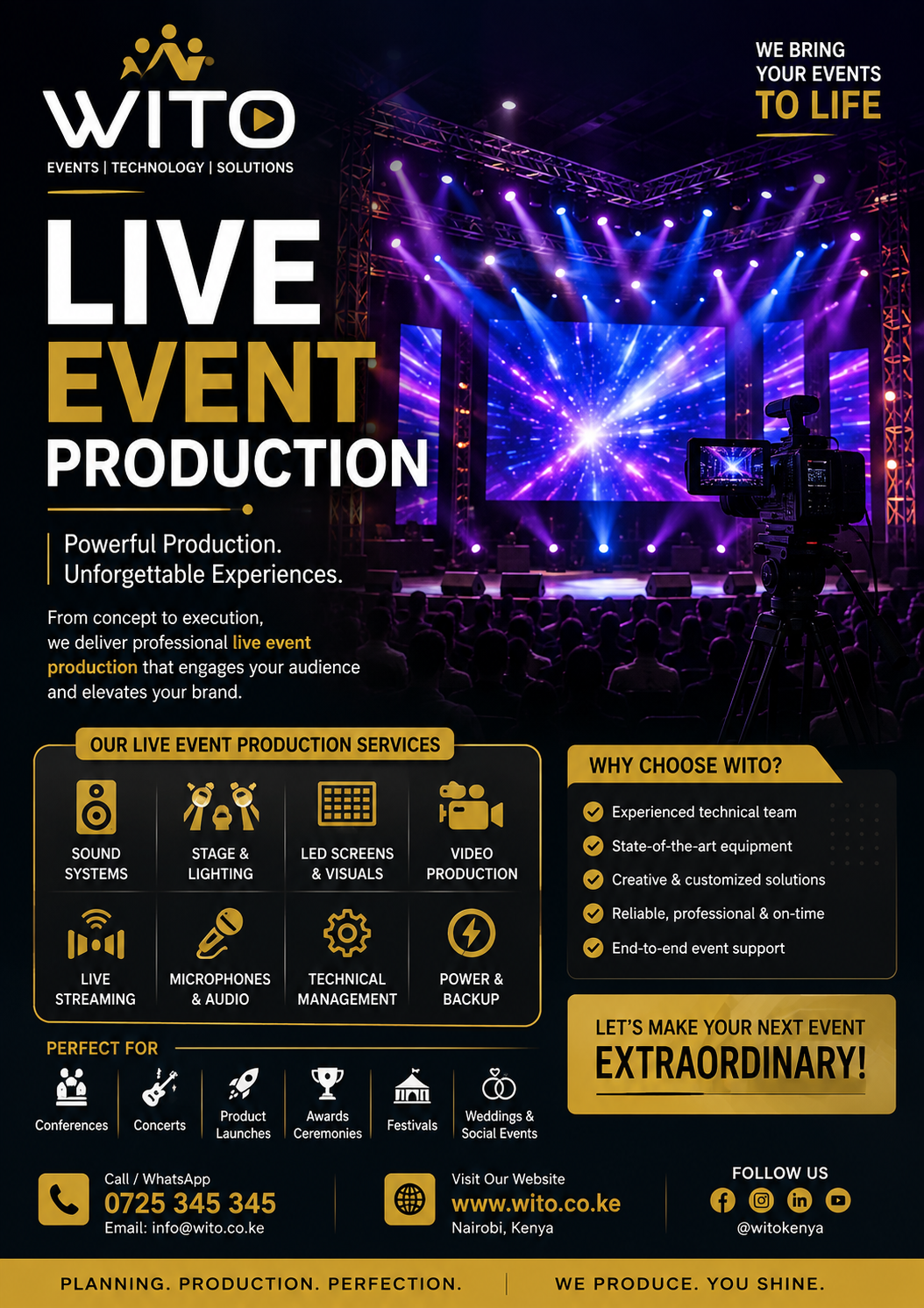
Audio Visual Production plays a central role in modern events, helping organizers deliver clear communication, engaging visuals, professional presentations, and memorable experiences. Whether the event is a corporate conference, concert, wedding, product launch, exhibition, awards ceremony, church gathering, or hybrid event, the quality of the audio and visual systems can significantly influence how attendees experience the occasion.
Modern events are no longer dependent on microphones and basic projectors alone. Professional productions can combine sound systems, LED screens, cameras, projection, stage lighting, video switching, live streaming, presentation systems, and technical direction into one coordinated experience. Industry providers in Kenya commonly combine audio, screens, lighting, staging, streaming, and technical support as part of complete event production solutions.
For an event to run smoothly, these different technologies must work together. A presentation may require a laptop feed to reach the main LED screen while cameras capture the speaker for a live audience and online viewers. At the same time, microphones need to be mixed correctly, lighting needs to support the cameras, and technical operators need to coordinate every transition.
This is why professional Audio Visual Production involves much more than supplying equipment. It includes planning, equipment selection, setup, testing, operation, monitoring, troubleshooting, and post-event support.
Table of Contents
ToggleWhat Is Audio Visual Production?
Audio Visual Production refers to the planning and technical delivery of sound and visual systems used during an event, presentation, broadcast, conference, performance, or other live experience.
The audio component focuses on delivering clear and balanced sound.
This can include:
- Professional speakers
- Subwoofers
- Wireless microphones
- Lavalier microphones
- Digital mixing consoles
- Stage monitors
- Audio processors
- Amplifiers
- Intercom systems
The visual component can include:
- LED screens
- Projectors
- Cameras
- Video walls
- Presentation displays
- Confidence monitors
- Digital graphics
- Video switching systems
Professional Audio Visual Production brings these elements together so that attendees can hear speakers clearly and see important content without unnecessary technical interruptions.
Why Audio Visual Quality Matters
Technical quality can influence the way attendees perceive an event.
If a microphone produces feedback, a presentation cannot be displayed, or a video screen is difficult to see, the audience immediately notices the problem.
On the other hand, properly designed AV systems can make an event feel organized and professional.
Good production can provide:
- Clear communication
- Better audience engagement
- Professional presentations
- Stronger branding
- Improved visibility
- Better speaker experiences
- Reliable event operations
- Higher-quality recordings
Professional Audio Visual Production is therefore an important investment for organizations that want their events to communicate effectively.
Components of Professional AV Production
A complete production setup can contain several interconnected systems.
Audio Systems
Audio systems ensure that speakers, performers, presenters, and videos can be heard throughout the venue.
Depending on the event, the system may include:
- Main PA speakers
- Line arrays
- Subwoofers
- Stage monitors
- Wireless microphones
- Digital mixers
- Audio processors
The system should be selected according to venue size, audience capacity, room design, and event type.
Visual Systems
Visual technology allows audiences to see presentations, videos, branding, and live camera feeds.
Common solutions include:
- LED walls
- LED screens
- Projectors
- Projection screens
- Confidence monitors
- Digital signage
- Video processors
Camera Systems
Cameras are increasingly important for modern events.
They can capture:
- Speakers
- Performers
- Panel discussions
- Product demonstrations
- Audience reactions
- Award presentations
Camera feeds can be displayed on venue screens or streamed online.
Corporate Event Audio Visual Production
Businesses frequently rely on professional AV systems for important events.
These can include:
- Conferences
- Annual general meetings
- Seminars
- Product launches
- Executive meetings
- Staff events
- Awards ceremonies
- Investor presentations
Corporate events often require a combination of presentations, speeches, videos, branding, and live communication.
Professional Audio Visual Production ensures that presentations are visible, speakers are audible, and visual content is displayed at the correct time.
Conference AV Solutions
Conferences can involve many speakers, sessions, presentations, and panel discussions.
A conference AV setup may include:
- Speaker microphones
- Podium microphones
- Panel microphones
- LED screens
- Presentation systems
- Confidence monitors
- Cameras
- Live streaming
- Stage lighting
The production team should understand the event schedule before setup begins.
This allows technicians to prepare for speaker changes, presentation transitions, videos, and audience questions.
Audio Visual Production for Concerts
Concerts require specialized production because music events place significant demands on audio, lighting, staging, and video.
A concert may require:
- Large PA systems
- Line-array speakers
- Subwoofers
- Stage monitors
- Wireless microphones
- LED screens
- Moving lights
- Follow spots
- Cameras
- Video operators
The audio system must provide consistent coverage throughout the audience area.
The visual system should support the performers and create an engaging environment.
Professional Audio Visual Production allows sound, video, and lighting teams to coordinate their work throughout the performance.
Wedding AV Production
Weddings increasingly use professional technical production to create visually impressive celebrations.
Wedding AV services can include:
- Wireless microphones
- Sound systems
- LED screens
- Projectors
- Stage lighting
- Live cameras
- Music systems
- Live streaming
Audio is especially important during vows, speeches, announcements, and entertainment.
Visual systems can display photographs, videos, wedding graphics, and live camera feeds.
Product Launch AV Production
Product launches require strong visual communication.
A product may need to be introduced through:
- Presentations
- Promotional videos
- Live demonstrations
- Product animations
- LED graphics
- Stage lighting
A professional AV team can coordinate the presentation, video playback, lighting cues, and product reveal.
Professional Audio Visual Production can turn a product launch into an engaging visual experience that supports the brand’s message.
LED Screens and Video Walls
LED technology has transformed event production.
Large LED displays can show:
- Presentations
- Videos
- Logos
- Animations
- Live camera feeds
- Sponsor advertisements
- Event schedules
- Social media content
LED screens are particularly useful for large venues because they remain visible to audiences seated farther away.
They can also be configured in different shapes and sizes depending on the stage design.
Indoor LED Screens
Indoor LED screens are commonly used for:
- Conferences
- Corporate events
- Weddings
- Exhibitions
- Product launches
- Awards ceremonies
They can provide high-quality visuals without requiring projection equipment.
Outdoor LED Screens
Outdoor events require displays that can perform under changing lighting conditions.
Outdoor LED screens are commonly used for:
- Concerts
- Festivals
- Sports events
- Outdoor conferences
- Brand activations
Brightness and weather considerations are important when selecting outdoor displays.
Projection Systems
Projection remains useful for many event formats.
Projectors can display:
- Presentations
- Videos
- Branding
- Event graphics
- Training content
- Large-format visuals
Projection can be particularly useful when a large surface is available for displaying content.
The production team needs to consider projector brightness, screen size, room lighting, and audience distance.
Professional Event Sound Systems
Sound is one of the most important components of any event.
A high-quality sound system should allow the audience to hear clearly without excessive volume or distortion.
The system may include:
- Speakers
- Subwoofers
- Amplifiers
- Digital mixers
- Microphones
- Stage monitors
- Audio processors
The production team should conduct sound checks before attendees arrive.
Professional Audio Visual Production teams use sound checks to identify potential feedback, uneven coverage, microphone issues, and other problems before the event starts.
Wireless Microphones
Wireless microphones provide presenters and performers with freedom of movement.
Common types include:
Handheld Microphones
Useful for:
- Presentations
- Interviews
- Performances
- Audience questions
Lavalier Microphones
These small microphones can be clipped to clothing and are commonly used by presenters.
Headset Microphones
Headsets are useful when presenters need to move around while speaking.
Gooseneck Microphones
These are often installed on podiums and conference tables.
The microphone type should match the speaker and event format.
Audio Mixing
Audio engineers control different sound sources through a mixing console.
They may manage:
- Speaker microphones
- Music
- Videos
- Instruments
- Audience microphones
- Stage monitors
Proper mixing ensures that important audio remains clear while unwanted noise is minimized.
Stage Monitoring
Performers and presenters may need to hear audio from the production system.
Stage monitors provide this feedback.
For musicians, monitors may contain vocals and instruments.
For presenters, monitors can help them hear videos, remote speakers, or other audio cues.
Event Lighting
Lighting is another important part of professional production.
Lighting can:
- Illuminate speakers
- Highlight performers
- Support camera production
- Improve stage appearance
- Create atmosphere
- Reinforce branding
Common fixtures include:
- LED PAR lights
- Moving heads
- Spotlights
- Wash lights
- Profile fixtures
- Uplighting
Professional Audio Visual Production often combines lighting with sound and video to create a coordinated event environment.
Camera Production
Professional cameras can improve the visual quality of an event.
Multiple cameras can provide different perspectives.
For example:
- Wide stage shot
- Speaker close-up
- Audience shot
- Side angle
- Product close-up
A video director can switch between these feeds during the event.
This is particularly important for conferences and hybrid events.
Live Video Switching
Video switching allows operators to select which camera or content source appears on the main screen or livestream.
Sources can include:
- Camera 1
- Camera 2
- Camera 3
- Presentation laptop
- Video playback
- Remote speaker
- Graphics
A professional switcher can create smooth transitions between different sources.
Live Streaming
Online audiences can extend the reach of a physical event.
Live streaming may include:
- Multiple cameras
- Professional audio
- Graphics
- Presentation feeds
- Video switching
- Online platforms
- Recording
Hybrid event production providers in Kenya increasingly combine on-site AV with streaming solutions to serve both physical and remote audiences.
Professional Audio Visual Production can integrate streaming into the event setup rather than treating it as a separate activity.
Hybrid Event AV
Hybrid events combine physical and online audiences.
The production setup needs to serve both groups.
For physical attendees, the team needs to provide:
- Clear sound
- Stage visibility
- Presentation screens
- Lighting
For online attendees, the production must provide:
- High-quality video
- Clear audio
- Stable streaming
- Presentation feeds
- Audience interaction
Lighting should also be designed with cameras in mind.
Presentation Management
Presentations are common at conferences, corporate meetings, seminars, and product launches.
Technical teams can manage:
- PowerPoint presentations
- Videos
- Animations
- Remote presentations
- Speaker notes
- Event graphics
Presentations should be collected and tested before the event.
This reduces the risk of compatibility issues during the live program.
Confidence Monitors
Confidence monitors help presenters see information while facing the audience.
They may display:
- Presentation slides
- Speaker notes
- Timers
- Program information
- Video feeds
These screens can improve speaker confidence and reduce unnecessary movement.
Teleprompter Systems
Teleprompters are useful for prepared speeches and formal presentations.
They allow speakers to follow prepared scripts while maintaining eye contact with the audience.
They can be used during:
- Corporate speeches
- Product launches
- Conferences
- Award ceremonies
- Broadcast-style events
Event Recording
Recording an event creates content that can be used after the event.
Recorded material can support:
- Marketing
- Training
- Social media
- Internal communication
- Documentation
- Future presentations
Professional production teams can record multiple camera feeds and high-quality audio.
Post-Event Video Content
Recorded event content can be repurposed into smaller pieces.
For example:
A keynote presentation can become a full video.
A panel discussion can be divided into short clips.
Speaker interviews can become social media content.
Product demonstrations can become marketing videos.
This makes professional production valuable even after the event ends.
Technical Rehearsals
Technical rehearsals are important for complex events.
During rehearsal, the team can test:
- Microphones
- Cameras
- Presentations
- LED screens
- Lighting
- Video playback
- Streaming
- Stage transitions
Speakers should also participate where possible.
A rehearsal gives technicians an opportunity to identify problems before the event begins.
On-Site Technical Support
Having technicians present during an event provides an important layer of reliability.
Technicians can monitor:
- Audio levels
- Video feeds
- LED screens
- Cameras
- Streaming
- Presentations
- Lighting
If a problem occurs, the technical team can respond immediately.
Backup Systems
Important events should have contingency plans.
Backups can include:
- Spare microphones
- Backup laptops
- Secondary internet
- Backup presentation files
- Additional cameras
- Spare cables
- Backup power
Professional Audio Visual Production should account for potential technical failures before they happen.
Event Power Requirements
AV equipment requires reliable power.
Power may be needed for:
- LED screens
- Projectors
- Speakers
- Lighting
- Cameras
- Computers
- Video equipment
The production team should calculate power requirements during the planning stage.
For large events, backup power can be especially important.
Venue Assessment
Before equipment is selected, the production team should inspect the venue.
Important considerations include:
- Venue size
- Ceiling height
- Audience seating
- Power availability
- Internet connectivity
- Loading access
- Stage location
- Lighting conditions
- Rigging points
A venue assessment helps determine which equipment and configurations are appropriate.
Choosing the Right AV Provider
When selecting a production company, consider:
Experience
Look for experience with similar events.
Equipment
Ask about the quality and availability of equipment.
Technical Team
Ensure experienced technicians will be present.
Portfolio
Review previous event projects.
Support
Confirm that the team will support the event from setup through breakdown.
Backup Plans
Ask how the company handles equipment or connectivity failures.
Professional Audio Visual Production requires a combination of reliable technology and experienced people.
Planning the AV Budget
AV costs depend on:
- Event size
- Venue
- Duration
- Equipment requirements
- Number of technicians
- Number of cameras
- LED screen size
- Streaming requirements
- Setup time
- Transportation
A detailed quotation should explain what is included.
Organizations should avoid comparing quotations based only on the final price.
Equipment quality, technical expertise, backup systems, and service support should also be considered.
Common AV Production Mistakes
Several mistakes can affect event quality.
Poor Audio Planning
Insufficient speakers or incorrect positioning can create poor sound coverage.
Inadequate Lighting
Poor lighting can make speakers difficult to see and affect video quality.
Lack of Testing
Skipping technical rehearsals increases the risk of unexpected problems.
Poor Presentation Preparation
Untested videos or presentations can cause delays.
Weak Internet
Hybrid and virtual events require reliable connectivity.
Insufficient Technical Staff
Complex events need enough technicians to manage different systems.
Professional Audio Visual Production reduces these risks through careful planning and testing.
The Future of AV Production
Technology continues to transform event production.
Emerging developments include:
- Larger LED displays
- Interactive screens
- Virtual production
- Augmented reality
- Artificial intelligence
- Automated camera systems
- Wireless technology
- Advanced streaming
- Immersive event environments
These technologies are creating new ways for audiences to experience events.
Sustainable AV Production
Sustainability is also becoming an important consideration.
Production companies can reduce waste by using:
- Reusable staging
- Energy-efficient LED lighting
- Digital signage
- Reusable branding materials
- Efficient equipment transportation
Energy-efficient technology can also help reduce power consumption.
Professional Audio Visual Production can therefore combine high-quality experiences with more responsible production practices.
Integrating AV With Event Branding
Audio and visual technology can reinforce an organization’s identity.
Branding can appear on:
- LED screens
- Presentations
- Videos
- Stage backdrops
- Digital graphics
- Event transitions
Consistent branding creates a unified visual experience.
Audio Visual Production for Exhibitions
Exhibitions can use AV technology to attract visitors and communicate information.
Solutions may include:
- Interactive screens
- Product videos
- Digital displays
- Sound systems
- Presentation areas
- LED walls
AV can help exhibitors make their booths more engaging.
Audio Visual Production for Awards Ceremonies
Awards events require precise coordination.
The production team may manage:
- Winner announcements
- Walk-up music
- Presentation screens
- Winner photographs
- Video playback
- Lighting cues
- Stage microphones
Good coordination keeps the ceremony moving smoothly.
Audio Visual Production for Religious Events
Churches and religious organizations can use AV systems for:
- Worship services
- Conferences
- Gospel concerts
- Sermons
- Fundraising events
- Youth programs
- Online broadcasts
Cameras and streaming systems can allow remote audiences to participate.
Audio Visual Production for Outdoor Events
Outdoor events present additional challenges.
The production team must consider:
- Weather
- Wind
- Sunlight
- Power
- Equipment protection
- Audience size
- Stage layout
Outdoor LED screens may need higher brightness to remain visible during daylight.
Sound systems may also require careful positioning to provide consistent audience coverage.
Audio Visual Production for Large Events
Large events require more complex coordination.
They may involve:
- Multiple stages
- Multiple screens
- Several cameras
- Large sound systems
- Numerous microphones
- Multiple technicians
- Streaming
- Backup systems
A production manager coordinates the different teams and ensures that the event follows the planned schedule.
Creating a Professional Audience Experience
The ultimate purpose of AV technology is to support the audience.
Attendees should be able to:
- Hear speakers clearly
- See presentations
- Follow performances
- Understand videos
- Participate in discussions
- Engage with event content
Technology should enhance the event rather than distract from it.
Professional Audio Visual Production achieves this by combining technical expertise with careful planning and event-specific design.
Advanced Audio Visual Solutions for Modern Events
Modern events increasingly depend on technology to deliver professional presentations, immersive experiences, and seamless communication. From large corporate conferences to concerts, exhibitions, weddings, product launches, and hybrid events, the right AV setup can transform an ordinary venue into an engaging environment.
Professional Audio Visual Production requires careful coordination between sound, video, lighting, staging, cameras, displays, streaming systems, and technical personnel. Each component has a specific purpose, but the strongest results come when all systems are designed to work together.
Advanced LED Display Solutions
LED screens have become one of the most recognizable elements of modern event production. They provide bright, high-resolution visuals that can be used for presentations, videos, branding, live camera feeds, animations, and sponsor content.
Unlike traditional projection systems, LED screens can maintain strong visibility in environments where ambient light may make projection difficult.
They can be configured as:
- Main stage screens
- Side screens
- Center screens
- Vertical displays
- Curved displays
- Large video walls
- Outdoor LED screens
- Interactive displays
The size and configuration should depend on the venue, audience, stage dimensions, and viewing distance.
Professional Audio Visual Production teams can determine the appropriate screen configuration and integrate it with cameras, presentation systems, and stage design.
LED Screen Content Management
Having an LED screen is only part of the solution. The content displayed on it must also be properly prepared.
Content may include:
- Event branding
- Speaker names
- Presentations
- Videos
- Animations
- Sponsor logos
- Event schedules
- Live camera feeds
- Social media content
The production team should ensure that content matches the screen’s resolution and aspect ratio.
Incorrectly formatted content can appear stretched, cropped, or unclear.
Video Processing
Video processors manage content before it reaches LED screens, projectors, or other displays.
They can help technical teams:
- Switch between sources
- Scale content
- Manage multiple displays
- Combine video feeds
- Adjust screen layouts
- Display multiple sources
This becomes particularly important during large conferences and multi-screen productions.
Multi-Camera Production
Using multiple cameras can make an event more dynamic and professional.
A multi-camera setup may include:
- Wide camera
- Close-up camera
- Side camera
- Audience camera
- Stage camera
- Product camera
Each camera can capture a different perspective.
A video director can then select the most appropriate camera feed for the audience or livestream.
Professional Audio Visual Production integrates camera positions into the wider event design so that cameras do not obstruct attendees or interfere with stage activities.
Camera Operators
Professional camera operators understand framing, movement, focus, lighting, and timing.
Their role is particularly important for:
- Concerts
- Conferences
- Product launches
- Award ceremonies
- Corporate events
- Live broadcasts
The camera operator must anticipate important moments and capture them effectively.
Video Direction
A video director coordinates camera feeds during a live production.
For example, during a keynote presentation, the director may switch between:
- A wide shot of the stage
- A close-up of the speaker
- The presentation slide
- A product demonstration
- An audience reaction
This creates a more engaging experience for viewers.
Professional Audio Mixing
Audio mixing ensures that different sound sources are balanced.
A mixer may control:
- Speaker microphones
- Music
- Videos
- Instruments
- Remote speakers
- Audience microphones
- Stage monitors
The audio engineer monitors levels throughout the event and adjusts them when necessary.
Poor audio can make an otherwise excellent event difficult to follow.
Digital Mixing Consoles
Digital mixers provide advanced control over multiple audio channels.
They can offer:
- Equalization
- Compression
- Effects
- Routing
- Monitoring
- Presets
- Remote control
These features make digital consoles suitable for complex event productions.
Wireless Audio Systems
Wireless systems give presenters and performers greater freedom of movement.
They can be useful for:
- Presenters
- Panelists
- Performers
- Hosts
- Interviewers
The technical team should coordinate wireless frequencies carefully to reduce interference.
Audience Microphone Systems
Audience participation often requires additional microphones.
These can be used during:
- Question-and-answer sessions
- Panel discussions
- Town halls
- Conferences
- Interactive workshops
A dedicated microphone system makes it easier for attendees to participate without disrupting the program.
Stage Monitoring
Performers and presenters need to hear the correct audio signals.
Stage monitors can provide:
- Vocal audio
- Instrument audio
- Presentation audio
- Cue information
The monitor mix may differ from what the audience hears.
Event Lighting Integration
Lighting is closely connected to audio and video production.
Modern lighting can be programmed to respond to:
- Music
- Presentations
- Speaker entrances
- Video playback
- Product reveals
- Award presentations
Lighting can create transitions and highlight important moments.
Intelligent Lighting
Moving-head fixtures can change:
- Direction
- Color
- Beam shape
- Intensity
They are widely used for concerts, festivals, corporate entertainment, and large productions.
Architectural Lighting
Not all lighting needs to be focused on the stage.
Architectural lighting can illuminate:
- Walls
- Entrances
- Columns
- Exhibition spaces
- Branding areas
- Walkways
This creates a more complete visual environment.
Projection Mapping
Projection mapping uses projectors to display visuals across specially designed surfaces.
It can transform:
- Buildings
- Stage structures
- Scenic elements
- Exhibition displays
into dynamic visual environments.
This technique can be particularly effective for product launches, concerts, cultural events, and creative presentations.
Interactive Visual Technology
Interactive displays allow audiences to engage directly with digital content.
Possible applications include:
- Touchscreen presentations
- Interactive product demonstrations
- Digital games
- Audience polls
- Social media walls
- Interactive exhibition displays
These technologies can increase participation and make events more memorable.
Virtual Production
Virtual production combines physical environments with digital visual elements.
It can be used to create:
- Digital backgrounds
- Virtual sets
- Immersive presentations
- Branded environments
This technology can be useful when organizers want to create highly customized visual experiences.
Hybrid Event Production
Hybrid events require AV systems that support physical and remote audiences simultaneously.
The production team needs to manage:
- Physical sound
- Online audio
- Cameras
- Presentations
- LED screens
- Streaming
- Remote speakers
- Audience interaction
A professional Audio Visual Production setup ensures that remote attendees receive the same essential information as people attending physically.
Remote Speaker Integration
Virtual speakers can participate in physical events through video conferencing systems.
The technical team must manage:
- Speaker video
- Speaker audio
- Presentation sharing
- Return audio
- Internet connectivity
- Screen display
Remote presenters should be tested before the event.
Live Streaming Platforms
Events can be streamed through various online platforms.
Depending on the audience and event objectives, organizers may use:
- YouTube
- Dedicated event platforms
- Private streaming portals
- Corporate platforms
The production team should determine the appropriate platform before the event.
Streaming Quality
Streaming quality depends on several factors.
These include:
- Internet speed
- Upload capacity
- Camera quality
- Audio quality
- Encoding
- Streaming platform
- Production resolution
A backup internet connection can provide additional reliability for important events.
Event Recording
Recording creates a permanent digital version of an event.
It can be used for:
- Marketing
- Training
- Internal communication
- Social media
- Documentation
- Future reference
Professional recording can capture both video and high-quality audio.
Post-Production Services
After an event, recorded footage can be edited.
Post-production may include:
- Video editing
- Audio cleanup
- Color correction
- Graphics
- Captions
- Short clips
- Highlight videos
This allows organizations to reuse event content for future marketing.
Conference Presentation Management
Large conferences can involve dozens of presentations.
The technical team should organize all presentation files before the event.
Files should be checked for:
- Compatibility
- Videos
- Fonts
- Animations
- Audio
- Aspect ratio
Having presentations ready in advance reduces delays between speakers.
Speaker Technical Support
Speakers should receive technical assistance before going on stage.
Technicians can help with:
- Microphones
- Presentation clickers
- Laptop connections
- Confidence monitors
- Teleprompters
- Video playback
This allows speakers to focus on their content.
Event Teleprompter Systems
Teleprompters can support presenters who need to deliver prepared speeches.
They are particularly useful for:
- Corporate announcements
- Product launches
- Formal ceremonies
- Conferences
- Broadcast-style events
The script should be prepared and tested before the speaker begins.
Stage Communication
Large productions require communication between technical teams.
Intercom systems can connect:
- Production managers
- Stage managers
- Audio engineers
- Lighting operators
- Video directors
- Camera operators
Clear communication helps coordinate live cues.
Professional Audio Visual Production teams use communication systems to manage complex events efficiently.
Event Cue Management
A cue sheet provides a structured sequence of technical actions.
It may contain:
- Speaker entrances
- Music cues
- Lighting changes
- Video playback
- Camera changes
- Presentation slides
- Microphone changes
The production team follows the cue sheet throughout the event.
Technical Rehearsals
Rehearsals allow the production team to test the entire system.
A technical rehearsal can include:
- Audio testing
- Lighting checks
- Camera checks
- Presentation testing
- LED testing
- Streaming tests
- Speaker rehearsals
- Cue practice
Technical rehearsals are especially important for complex productions.
Event Power Distribution
Professional AV equipment requires reliable electrical systems.
Power may be required for:
- LED screens
- Projectors
- Speakers
- Lighting
- Cameras
- Computers
- Video processors
Power requirements should be calculated before the event.
Critical equipment may also require backup power.
Backup Equipment
Professional events should have contingency equipment available.
Useful backups include:
- Spare microphones
- Backup laptops
- Extra cables
- Spare cameras
- Backup internet
- Additional storage
- Backup power
A backup strategy can minimize interruptions.
Outdoor AV Production
Outdoor events create additional challenges.
The production team must account for:
- Sunlight
- Rain
- Wind
- Temperature
- Power
- Ground conditions
- Equipment protection
Outdoor LED screens usually require appropriate brightness for daylight conditions.
Sound systems also need to be positioned carefully to provide good audience coverage.
Indoor AV Production
Indoor venues offer more controlled conditions but still require planning.
The production team should inspect:
- Ceiling height
- Power
- Lighting
- Venue dimensions
- Audience seating
- Loading access
- Rigging points
This information influences the final AV configuration.
AV Production for Exhibitions
Exhibitions provide many opportunities for audiovisual technology.
Exhibitors can use:
- LED displays
- Digital signage
- Product videos
- Interactive screens
- Presentation systems
- Sound systems
These technologies can attract visitors and communicate product information.
AV Production for Corporate Meetings
Corporate meetings may require professional AV systems for presentations and communication.
Typical equipment includes:
- Conference microphones
- Projectors
- LED screens
- Presentation laptops
- Cameras
- Speakers
- Video conferencing systems
Professional Audio Visual Production can improve communication during executive and corporate meetings.
AV Production for Product Launches
Product launches depend heavily on visual storytelling.
Production can include:
- Product videos
- LED graphics
- Demonstration cameras
- Stage lighting
- Presentation systems
- Live product demonstrations
A coordinated production can create anticipation and excitement around the launch.
AV Production for Awards Events
Awards ceremonies require precise technical coordination.
The production team may manage:
- Winner names
- Walk-up music
- Presentation slides
- Winner photographs
- Video clips
- Stage lighting
- Microphones
Technical cues need to follow the ceremony schedule accurately.
AV Production for Weddings
Weddings can benefit from professional audiovisual technology.
Services can include:
- Reception sound
- Ceremony sound
- LED screens
- Projectors
- Video playback
- Live cameras
- Lighting
- Streaming
The systems should support the celebration without overpowering the atmosphere.
AV Production for Concerts
Concerts require advanced audio and visual systems.
Large productions may use:
- Line-array systems
- Subwoofers
- Stage monitors
- LED walls
- Moving lights
- Cameras
- Video operators
- Wireless microphones
Audio engineers and lighting operators work closely with performers and stage managers.
AV Production for Religious Events
Religious organizations can use AV technology for:
- Worship services
- Conferences
- Sermons
- Gospel concerts
- Youth programs
- Fundraising events
- Online broadcasts
Cameras and streaming systems can also allow remote audiences to participate.
AV Production for Large-Scale Events
Large events require detailed coordination.
A production may involve:
- Multiple stages
- Multiple screens
- Several cameras
- Large sound systems
- Numerous microphones
- Streaming
- Lighting systems
- Large technical crews
A production manager coordinates the different departments.
Safety in AV Production
Safety should always be considered.
Production teams need to manage:
- Cable routing
- Electrical systems
- Stage access
- Equipment weight
- Rigging
- Audience movement
- Emergency exits
Equipment should be installed by appropriately trained personnel.
Choosing an AV Production Company
When selecting a production company, consider:
Experience
Look for a provider with experience in your event type.
Equipment
Confirm that the provider has suitable and maintained equipment.
Technical Team
Ask who will operate the systems during the event.
Portfolio
Review previous work.
Support
Ensure technicians will be available during setup and throughout the event.
Backup Systems
Ask what happens if important equipment fails.
A reliable Audio Visual Production partner should provide both equipment and technical expertise.
Understanding AV Production Costs
Costs can vary depending on:
- Event size
- Venue
- Number of screens
- Sound requirements
- Number of cameras
- Lighting
- Streaming
- Technical crew
- Event duration
- Setup requirements
A detailed quotation should clearly identify equipment, labor, transportation, installation, operation, and breakdown.
Measuring AV Success
After an event, organizers can evaluate:
- Audience feedback
- Technical reliability
- Sound quality
- Visual quality
- Presentation performance
- Streaming quality
- Audience engagement
Feedback can help improve future events.
The Future of Audio Visual Events
AV technology continues to evolve.
Future event environments may include:
- Artificial intelligence
- Augmented reality
- Virtual reality
- Automated cameras
- Interactive displays
- Immersive LED environments
- Advanced streaming
- Wireless production systems
These technologies can create new opportunities for event organizers.
Sustainable AV Production
Sustainability is becoming increasingly relevant in event production.
Organizations can reduce environmental impact through:
- Energy-efficient LED lighting
- Reusable stage systems
- Digital signage
- Reusable branding
- Efficient equipment transportation
- Digital event materials
Sustainable production does not have to compromise quality.
Integrating Audio and Visual Technology
The strongest events are built around integrated technology.
Sound, video, lighting, staging, cameras, screens, and streaming should be planned together.
This approach improves:
- Coordination
- Reliability
- Visual consistency
- Audience experience
- Technical efficiency
Professional Audio Visual Production provides the framework for bringing these different systems together into one coordinated event experience.
How to Plan Successful Audio Visual Events
A successful event depends on more than having modern equipment. The technology must be planned around the venue, audience, program, speakers, performers, branding, and overall objectives. Professional Audio Visual Production brings these elements together to create an event that is clear, engaging, reliable, and technically organized.
Whether you are organizing a corporate conference, concert, wedding, product launch, exhibition, awards ceremony, church event, or hybrid conference, the production process should begin well before the event date.
Start With the Event Objectives
The first step is understanding what the event is expected to achieve.
An organization may want to:
- Launch a new product
- Educate an audience
- Celebrate an achievement
- Entertain guests
- Host a conference
- Promote a brand
- Connect physical and online audiences
- Broadcast an important ceremony
Once the objective is clear, the production team can recommend appropriate technology.
For example, a corporate presentation may require high-quality presentation displays and microphones, while a concert may require powerful sound, stage monitoring, large LED screens, and advanced lighting.
Professional Audio Visual Production should therefore be designed around the purpose of the event rather than simply selecting the most expensive equipment.
Understand the Venue
Venue conditions can significantly affect production requirements.
Before equipment is selected, the production team should inspect the location.
Important considerations include:
- Venue dimensions
- Ceiling height
- Audience capacity
- Stage location
- Power availability
- Internet connectivity
- Loading areas
- Rigging points
- Lighting conditions
- Emergency exits
The venue assessment helps the production team determine what equipment can be installed safely and effectively.
Determine the Audience Size
Audience size directly affects sound, video, staging, and screen requirements.
A small meeting room may only need a few speakers and one display.
A large conference hall may require:
- Multiple speakers
- Large LED screens
- Side screens
- Multiple microphones
- Cameras
- Confidence monitors
Outdoor events may require even larger systems.
Professional Audio Visual Production providers should calculate equipment requirements based on the expected audience instead of using the same setup for every event.
Develop a Production Plan
A detailed production plan provides a roadmap for the technical team.
The plan can include:
- Event schedule
- Stage layout
- Audio requirements
- Lighting requirements
- Video requirements
- Camera positions
- Screen placement
- Streaming requirements
- Technical crew
- Equipment list
- Setup schedule
- Rehearsal schedule
- Breakdown plan
A production plan also helps organizers understand what they are paying for.
Create a Technical Rider
For concerts and performances, artists may provide technical requirements known as a technical rider.
This can include:
- Microphone requirements
- Instrument inputs
- Monitor requirements
- Stage layout
- Lighting preferences
- Backline requirements
- Video requirements
The production team should review these requirements before the event.
This ensures that the equipment and stage environment can support the performer.
Coordinate With Speakers
Speakers should know how the technical setup will work before they arrive.
They may need:
- Presentation clickers
- Confidence monitors
- Microphones
- Teleprompters
- Video playback
- Remote presentation systems
Presentations should ideally be submitted early so technicians can test them.
Prepare Presentation Content
Presentation files can cause unexpected problems when they are not tested.
The production team should check:
- Videos
- Audio
- Fonts
- Animations
- Aspect ratios
- Resolution
- Embedded content
Files should also be stored in more than one location.
Having backup presentation files can prevent unnecessary delays.
Plan the Stage Layout
The stage should be designed around the program.
A conference stage may include:
- Podium
- Main LED screen
- Side screens
- Speaker chairs
- Confidence monitors
A concert stage may require:
- Performance areas
- Instruments
- Stage monitors
- LED walls
- Lighting fixtures
A product launch may require a demonstration area.
The stage should provide enough space while maintaining clear audience sightlines.
Consider Audience Sightlines
Every attendee should be able to see important visual content.
Screen size and placement should take into account:
- Audience distance
- Seating arrangement
- Stage height
- Screen position
- Venue shape
Large venues may require side screens or additional displays.
Design the Sound System
Sound should be designed around the venue.
The production team should determine:
- Speaker locations
- Number of speakers
- Subwoofer requirements
- Microphone requirements
- Stage monitoring
- Audio mixing requirements
A properly designed system provides consistent sound throughout the audience.
Prevent Audio Feedback
Microphone feedback can disrupt an event.
It often occurs when microphone signals are picked up again by speakers.
Professional audio engineers can reduce this risk through:
- Proper microphone positioning
- Speaker placement
- Equalization
- Gain management
- System tuning
Technical sound checks should always be performed before the audience enters.
Test Every Microphone
Every microphone should be tested before the event begins.
The team should verify:
- Battery levels
- Wireless frequencies
- Audio levels
- Signal stability
- Microphone placement
Spare microphones and batteries should also be available when necessary.
Test LED Screens
LED screens should be checked before the program starts.
Technicians should verify:
- Brightness
- Resolution
- Content
- Connections
- Video signal
- Screen configuration
The production team should also check how the screen appears from different areas of the venue.
Test Cameras
Camera testing should include:
- Focus
- Exposure
- Framing
- Camera positions
- Signal transmission
- Audio synchronization
For livestreamed events, camera feeds should be tested through the entire production chain.
Test the Streaming System
Streaming should never be tested for the first time during the live event.
The team should test:
- Internet connection
- Upload speed
- Encoding
- Platform connection
- Audio
- Video
- Graphics
- Backup connectivity
A backup internet connection can provide additional protection against connectivity problems.
Professional Audio Visual Production includes testing the complete system before the event begins.
Conduct a Full Technical Rehearsal
A full rehearsal allows technicians to simulate the actual event.
The team can practice:
- Speaker entrances
- Music cues
- Video playback
- Camera switching
- Lighting changes
- Presentation transitions
- Microphone changes
- Streaming
A rehearsal is especially important for events with complicated schedules.
Create a Show Cue Sheet
A cue sheet provides instructions for technical operators.
A typical cue may include:
Cue 1: Opening music
Cue 2: Stage lights on
Cue 3: Host enters
Cue 4: Main presentation appears
Cue 5: Camera switches to speaker
Cue 6: Video playback
Cue 7: Lighting transition
The exact structure depends on the event.
Assign Technical Responsibilities
Every production team member should understand their responsibilities.
A team can include:
- Production manager
- Stage manager
- Audio engineer
- Lighting operator
- Video director
- Camera operators
- Streaming technician
- LED technician
- Stagehands
Clear responsibilities prevent confusion during the live program.
Have a Production Manager
The production manager oversees the entire technical operation.
Their responsibilities may include:
- Coordinating technical departments
- Managing the production schedule
- Communicating with organizers
- Monitoring setup
- Managing rehearsals
- Handling technical issues
A production manager acts as the central point of communication.
Maintain Communication During the Event
Technical teams need reliable communication.
Intercom systems or radio communication can connect:
- Stage manager
- Audio engineer
- Lighting operator
- Video director
- Camera operators
- Production manager
Fast communication allows teams to respond to changes.
Prepare for Technical Failures
Even well-planned productions can experience unexpected problems.
Possible issues include:
- Equipment failure
- Power interruption
- Internet failure
- Microphone problems
- Presentation errors
- Video signal loss
A contingency plan should identify how these problems will be handled.
Maintain Backup Equipment
Backup equipment can reduce downtime.
Useful backups may include:
- Spare microphones
- Extra cables
- Backup laptops
- Spare batteries
- Additional signal converters
- Backup internet
- Spare storage devices
For critical events, backup power can also be important.
Manage Event Power
Large AV systems can consume significant amounts of electricity.
Power planning should consider:
- LED screens
- Sound systems
- Lighting
- Cameras
- Projectors
- Computers
- Streaming equipment
Electrical systems should be planned and installed safely.
Cable Management
Cables should be organized carefully.
Poor cable management can create:
- Trip hazards
- Signal problems
- Equipment damage
- Difficult troubleshooting
Production teams can use cable ramps, cable covers, ties, and appropriate routing methods.
Rigging and Equipment Safety
Some production equipment needs to be suspended above the stage.
This may include:
- Lighting
- Speakers
- LED components
- Trussing
Rigging should be handled by appropriately trained personnel.
Equipment weight and structural requirements must be considered before installation.
Branding Through AV Technology
AV systems provide excellent opportunities for event branding.
Brand elements can appear on:
- LED screens
- Presentation slides
- Video transitions
- Digital signage
- Stage graphics
- Sponsor displays
Consistent branding can make an event more recognizable.
Sponsor Visibility
Sponsors may require prominent visibility during an event.
Their branding can appear:
- Before sessions
- Between presentations
- During breaks
- On LED screens
- During livestreams
The production team can integrate sponsor content into the show schedule.
Social Media Integration
Modern events can integrate social media into AV systems.
Examples include:
- Social media walls
- Hashtag displays
- Audience posts
- Live polls
- Digital competitions
This can encourage audience participation.
Interactive Audience Experiences
Interactive technology can make events more engaging.
Examples include:
- Audience voting
- Live questions
- Digital surveys
- Interactive displays
- Mobile participation
These tools can be particularly effective during conferences and corporate events.
Using Graphics During Live Events
Graphics can provide useful information to audiences.
They can display:
- Speaker names
- Company logos
- Session titles
- Event schedules
- Sponsor logos
- Social media handles
Graphics should be prepared in advance and tested with the production system.
Recording Key Moments
Important moments should be recorded professionally.
These may include:
- Keynote speeches
- Product launches
- Performances
- Award presentations
- Panel discussions
- Interviews
Recorded footage can later be used for marketing and communication.
Creating Highlight Videos
A highlight video can capture the most memorable parts of an event.
It may include:
- Audience reactions
- Speaker clips
- Performances
- Stage visuals
- Branding
- Behind-the-scenes footage
Highlight videos can be shared through websites and social media.
Post-Event Content Strategy
Event content can continue generating value after the event.
Organizations can turn recordings into:
- Social media clips
- Training videos
- Promotional videos
- Speaker interviews
- Educational content
- Company presentations
This makes production an important part of the wider marketing strategy.
AV Production for Corporate Conferences
Corporate conferences require professional communication.
The production setup may include:
- Stage
- LED screens
- Presentation systems
- Microphones
- Cameras
- Lighting
- Streaming
The technical team should coordinate with speakers and event organizers throughout the program.
AV Production for Concerts
Concerts require strong coordination between audio, lighting, video, and stage teams.
The production must support performers while delivering a powerful experience for the audience.
Large concerts may require:
- Line arrays
- Subwoofers
- Stage monitors
- LED walls
- Moving lights
- Cameras
- Video operators
AV Production for Weddings
Wedding AV should support the atmosphere of the celebration.
Sound should remain clear without overwhelming guests.
Visual systems can display:
- Couple photos
- Wedding videos
- Live camera feeds
- Names
- Event graphics
Lighting can also create different moods throughout the ceremony and reception.
AV Production for Product Launches
Product launches often use dramatic visuals.
LED screens can display product animations while lighting changes can emphasize the launch moment.
Cameras can capture demonstrations for both physical and online audiences.
Professional Audio Visual Production allows all these elements to be coordinated precisely.
AV Production for Exhibitions
Exhibitions can use audiovisual technology to attract visitors.
Displays can demonstrate:
- Products
- Services
- Videos
- Customer testimonials
- Company information
Interactive screens can also allow visitors to explore information independently.
AV Production for Religious Events
Religious events can use professional AV systems to support worship, teaching, and communication.
Applications include:
- Sermon amplification
- Worship music
- Presentation screens
- Video playback
- Livestreaming
- Conference production
The production system should support the message without distracting the audience.
AV Production for Outdoor Events
Outdoor production requires additional preparation.
Teams need to consider:
- Weather
- Wind
- Sunlight
- Power
- Ground conditions
- Equipment protection
Weather contingency plans should be prepared for important events.
AV Production for Hybrid Events
Hybrid events require careful coordination between the physical venue and online environment.
The online audience needs:
- Clear audio
- Good video
- Presentation visibility
- Stable streaming
- Appropriate graphics
The physical audience needs:
- Clear sound
- Stage visibility
- Screens
- Lighting
Professional Audio Visual Production connects both audiences through a unified technical setup.
Choosing the Right Production Partner
Before hiring a production company, ask several questions.
Do They Have Relevant Experience?
Review previous events similar to yours.
Do They Own or Have Access to Professional Equipment?
Confirm the equipment required for your event.
Do They Provide Technical Staff?
Equipment requires trained operators.
Do They Offer Backup Solutions?
Ask how they handle technical failures.
Do They Provide Setup and Breakdown?
Confirm whether transportation, installation, operation, and dismantling are included.
Can They Support Hybrid Events?
If online participation is important, verify that the company can provide streaming and remote speaker integration.
Comparing Production Quotes
When comparing quotations, examine more than price.
Compare:
- Equipment
- Technical personnel
- Setup time
- Event duration
- Transportation
- Streaming
- LED screens
- Lighting
- Sound
- Backup equipment
A detailed quotation makes it easier to compare providers.
Why Experience Matters
Experienced production teams can anticipate potential problems.
They understand how to:
- Read venue layouts
- Position speakers
- Plan screen sizes
- Coordinate cameras
- Manage technical cues
- Support speakers
- Troubleshoot equipment
Experience can make the difference between a stressful event and a smooth one.
The Importance of On-Site Support
Technical support should continue throughout the event.
Operators should monitor systems continuously.
They can quickly respond when:
- A microphone fails
- A presentation changes
- A video does not play
- A camera signal drops
- Streaming experiences problems
- Lighting needs adjustment
On-site support provides additional reliability.
Measuring the Success of AV Production
After the event, organizers should review the production.
Consider:
- Was the sound clear?
- Were screens visible?
- Did presentations work?
- Was streaming stable?
- Were technical transitions smooth?
- Did the audience remain engaged?
- Were there unexpected failures?
Feedback helps improve future events.
Trends Shaping AV Production
The industry continues to evolve.
Important trends include:
- AI-assisted production
- Automated camera systems
- Interactive LED displays
- Immersive visuals
- Hybrid events
- Virtual production
- Wireless technology
- Advanced livestreaming
- Sustainable equipment
These technologies are giving event organizers more ways to engage audiences.
Artificial Intelligence in Event Production
AI is increasingly being explored for production workflows.
Potential applications include:
- Automated camera tracking
- Content generation
- Audience analytics
- Automated captioning
- Production assistance
- Intelligent scheduling
As these technologies mature, they may reduce repetitive technical tasks while giving production teams more creative possibilities.
Sustainable Event Technology
Environmental considerations are becoming increasingly important.
Production companies can support sustainable events through:
- LED lighting
- Reusable staging
- Digital signage
- Reusable branding materials
- Efficient transportation
- Energy-conscious equipment
Sustainability can be incorporated without compromising the audience experience.
Building a Better Audience Experience
Technology should always serve the audience.
Attendees should be able to:
- Hear clearly
- See presentations
- Follow performances
- Understand videos
- Participate easily
- Engage with speakers
The goal is not to use technology simply because it is available.
The goal is to use the right technology to improve the event.
Professional Audio Visual Production achieves this by combining technical expertise, creative design, reliable equipment, and careful event planning.
Final Thoughts
Professional Audio Visual Production has become an essential component of successful modern events. Sound, video, lighting, staging, cameras, LED screens, presentations, and streaming must work together to create a seamless experience.
The best production begins with planning. Organizers should define their objectives, assess the venue, understand the audience, establish a realistic budget, prepare technical requirements, and select an experienced production partner.
Testing is equally important. Microphones, cameras, screens, presentations, lighting, streaming systems, and power should all be checked before attendees arrive. Technical rehearsals provide an additional opportunity to identify and resolve potential problems.
For larger productions, dedicated technical teams are essential. Production managers, stage managers, audio engineers, lighting operators, video directors, camera operators, and streaming technicians all contribute to a successful event.
Technology also continues to create new possibilities. LED displays, interactive systems, virtual production, artificial intelligence, automated cameras, hybrid events, and immersive visuals are changing the way audiences experience live events.
For organizations planning conferences, concerts, weddings, product launches, exhibitions, corporate meetings, religious gatherings, or hybrid events, investing in professional production can significantly improve communication, presentation quality, reliability, and audience engagement.
With proper planning, experienced technicians, reliable equipment, backup systems, and creative technical design, Audio Visual Production can transform a venue into a professional environment that delivers a memorable experience for both physical and online audiences.
- audio visual production
- audio visual production
- audio visual production
- audio visual production
- audio visual production
- audio visual production
- audio visual production
- audio visual production
- audio visual production
- audio visual production
- audio visual production
- audio visual production
- audio visual production
- audio visual production
- audio visual production
- audio visual production
- audio visual production
- audio visual production
- audio visual production
- audio visual production
- audio visual production
- audio visual production
- audio visual production
- audio visual production
- audio visual production
- audio visual production
- audio visual production
- audio visual production
- audio visual production
- audio visual production
- audio visual production
- audio visual production
- audio visual production
- audio visual production
- audio visual production
- audio visual production